2026 RollCall Release Notes - 30 July

Modified on Fri, 7 Aug at 1:22 PM

Release Notes

Please find below our Release Notes for new features and enhancements to the RollCall system.

What's new in RollCall


Smart Route Has Arrived


Planning your school bus network has always involved balancing changing enrolments, shifting demand and evolving route requirements. Until now, Smart Route allowed you to design and optimise your routes, but once you were happy with the outcome, you still needed to manually recreate those routes in your live RollCall environment.


That changes with this release.


Smart Route is now fully integrated into RollCall, transforming it from a route planning tool into a complete route management solution.


Schools can now design, review and refine future route networks, save multiple versions, collaborate with bus operators, and schedule approved routes to automatically go live on a future date. There is no need to duplicate work.


Whether you are preparing for a new term, redesigning your entire network or making incremental improvements throughout the year, Smart Route now manages the entire journey from planning through to implementation.


What's New for School Administrators


Plan Today. Go Live Tomorrow.

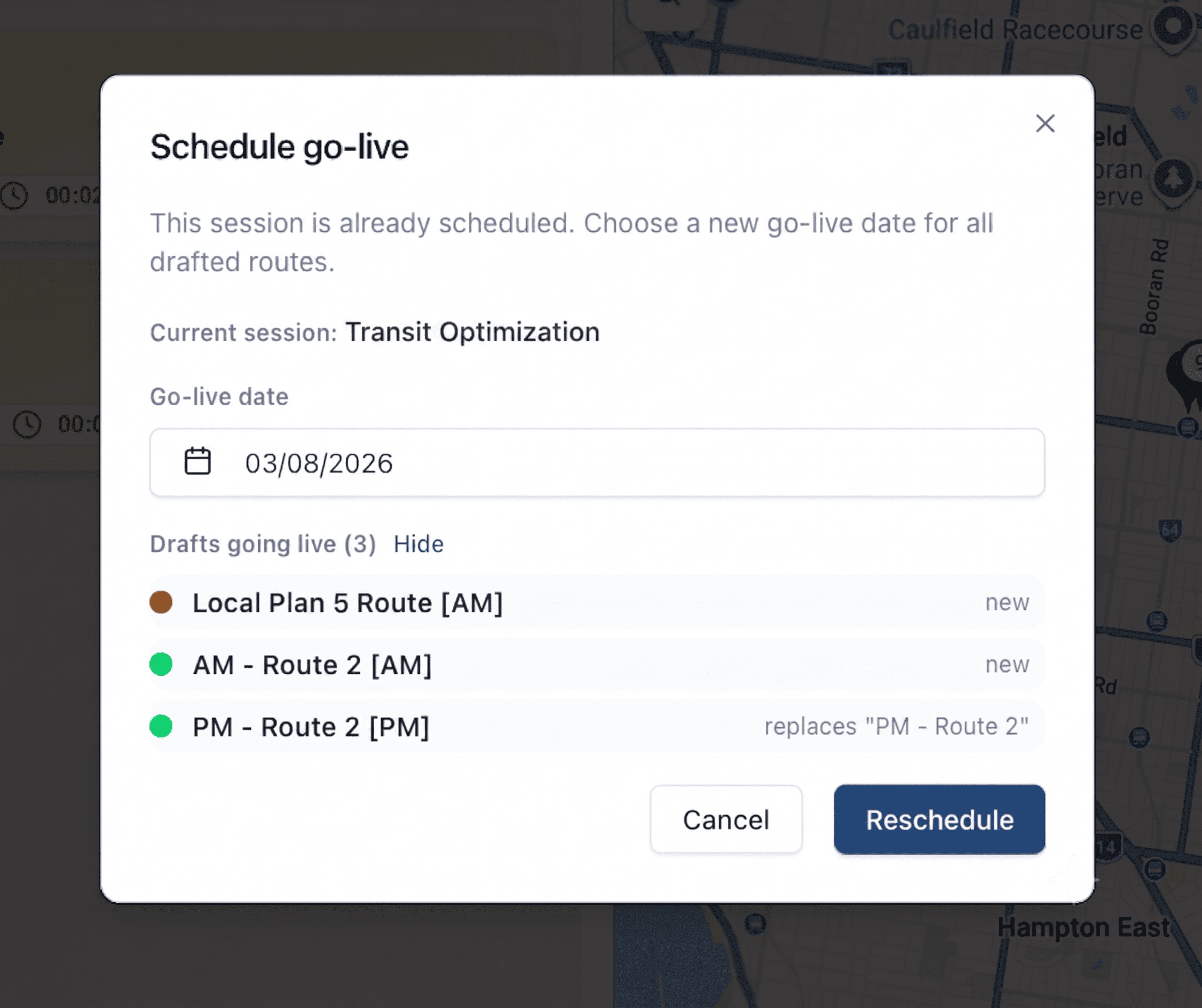
Smart Route now allows you to build your future route network in a draft environment without affecting your current live services.


When you're satisfied with your planning, simply choose a go-live date and RollCall will automatically publish your approved routes into Route Builder at the scheduled time.


No more recreating routes.

No more duplicate data entry.

Just plan once and publish when you're ready.


Save, Compare and Restore Route Plans

Route planning rarely happens in a single sitting.


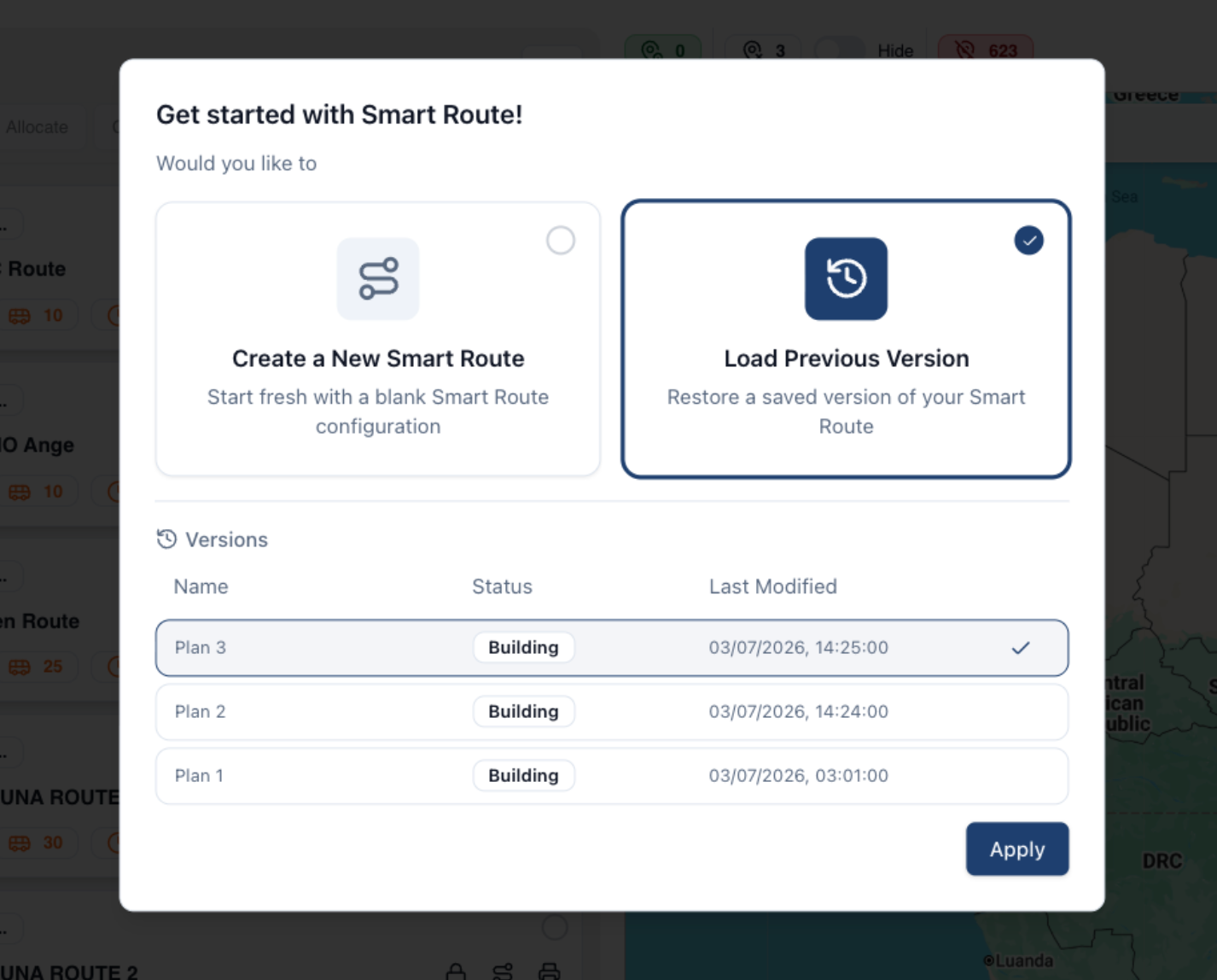
Smart Route now includes version history, allowing you to save named planning versions as your network evolves. Compare different route designs, restore previous versions or continue refining your plans over time without affecting your live transport operations.


Coming Soon in the New Parent App


See Future Route Changes Before They Happen

Parents will soon be able to view upcoming changes to their child’s bus route before those changes become active.


Rather than route changes appearing instantly, families will be able to see both their current transport arrangements and any future changes, including updated routes, bus stops, pickup times and the date those changes will take effect.


This gives families time to prepare before new transport arrangements begin.


Receive Route Change Notifications

With the new Parent App, schools will be able to notify affected parents whenever scheduled transport changes occur.


Whether a student has been allocated a new stop, moved to a different route or had a timetable change, parents will receive clear notifications explaining what has changed and when those changes will begin.


Supporting Enhancements


Parent Communication Audit Trail

RollCall now provides a more comprehensive history of parent notifications.


Schools can view notification history, delivery status (where available), message content and the staff member responsible for sending each notification, providing a complete audit trail of parent communications.


Support for New TASS API Tokens

RollCall now supports TASS's updated 44-character API tokens while remaining compatible with existing 24-character tokens.


Student Address Sync Control

Schools using an LMS or SMS integration can now choose whether student residential addresses are synchronised into RollCall.


For schools using Smart Route, synchronising addresses provides the richest planning experience by allowing Smart Route to accurately map your school community when designing routes. However, organisations with stricter privacy requirements now have the flexibility to disable address synchronisation while continuing to synchronise essential student and parent information.


Simpler Parent Onboarding

Following the introduction of school-controlled parent access, all new parents are now created in a disabled state until access has been approved by the school.


Based on your feedback, we've streamlined this process. If you attempt to send a Welcome Email to a disabled parent, RollCall will now prompt you to enable the parent before continuing.


This reduces missed steps and makes onboarding new families faster and more intuitive.


Clearer Parent Sign-In Error Messages

We've improved the sign-in experience for parents by replacing generic error messages with clear, descriptive guidance.


If sign-in is unsuccessful, RollCall will now explain the reason - for example, that the email address entered is not associated with any school in RollCall and, where appropriate, prompt parents to contact their school for assistance.


This helps parents understand how to resolve access issues while reducing unnecessary support requests to schools.


What's fixed?

Parent App Add Credit

Parents at affected schools can now continue to the payment flow and add credit when their school’s payment settings and Stripe connection are configured correctly.


Copy Route Bookings

Copying route bookings into a new academic period now creates and displays the new bookings on the Transport Screen as expected.


Bulk Absences in Reports

Bulk absences submitted through the Parent App now appear correctly in the Bus Changes & Absences Report without duplicate-looking entries.


Payment Surcharge Settings

Percentage and fixed surcharges entered during payment gateway setup are now visible later in RollCall Pay payment settings, making ongoing payment configuration easier to manage.


Inactive Student Scan Alerts

Scanning a card linked to an inactive student now shows a clear inactive-student alert instead of an unregistered card message.


Pay-As-You-Go Balance Records

Pay-as-you-go transport balances and transaction histories now stay aligned, making charge and adjustment records more reliable.


Student Import Payment Option Validation

Student imports now continue to require a valid Payment Charging Option before rows can move to Ready to Import.


Parent Login Redirects

Parents using school-specific single sign-on settings now return to the correct school sign-in page after logging out.


Bus Stop Report Overview

The Bus Stop Report overview now shows the correct output columns, matching the actual report.


Google Parent Sign-In

Google Workspace parent sign-in now identifies parent email addresses correctly, allowing affected parents to access the Parent App.


Single-Driver Route Logins

Only one driver can now remain active on a single-driver route when two drivers select the same route at nearly the same time.


Westpac Payment Updates

Successful Westpac top-ups now update correctly after processing instead of remaining pending and later showing as cancelled.


Driver Check Route Completion

Driver Check completion now finishes routes correctly in the Driver App and updates admin monitoring screens.


Bus Change Report Hover Details

Hover details in the Bus Changes & Absences Report now show the correct new bus stop information again.


Driver Boarding Scan Stops

Morning boarding scans now record against the student’s correct pickup stop, helping pay-as-you-go fares calculate correctly.

? Need help??

Call us on 1300 821 116 or email support@rollcall.com.au

You are receiving this email as you signed up for our newsletters.

Want to change how you receive these emails?

You can Unsubscribe or Update your preferences


Was this article helpful?

That’s Great!

Thank you for your feedback

Sorry! We couldn't be helpful

Thank you for your feedback

Let us know how can we improve this article!

Select at least one of the reasons
CAPTCHA verification is required.

Feedback sent

We appreciate your effort and will try to fix the article