2026 RollCall Release Notes - Parent App - Force all Users to 4.0.2

Modified on Fri, 4 Sep at 10:31 AM

Release Notes

Please find below our Release Notes for new features and enhancements to the RollCall system.

Release date: August 2026


The RollCall Parent App has been rebuilt from the ground up. Version 4.0 keeps everything families already rely on (live bus tracking, bookings, absences and payments) and makes each of them faster and simpler to use, while adding the features parents have asked for most: editing bookings in the app, choosing how each alert arrives, dark mode, quick login and more.


What's new for parents

A completely rebuilt app

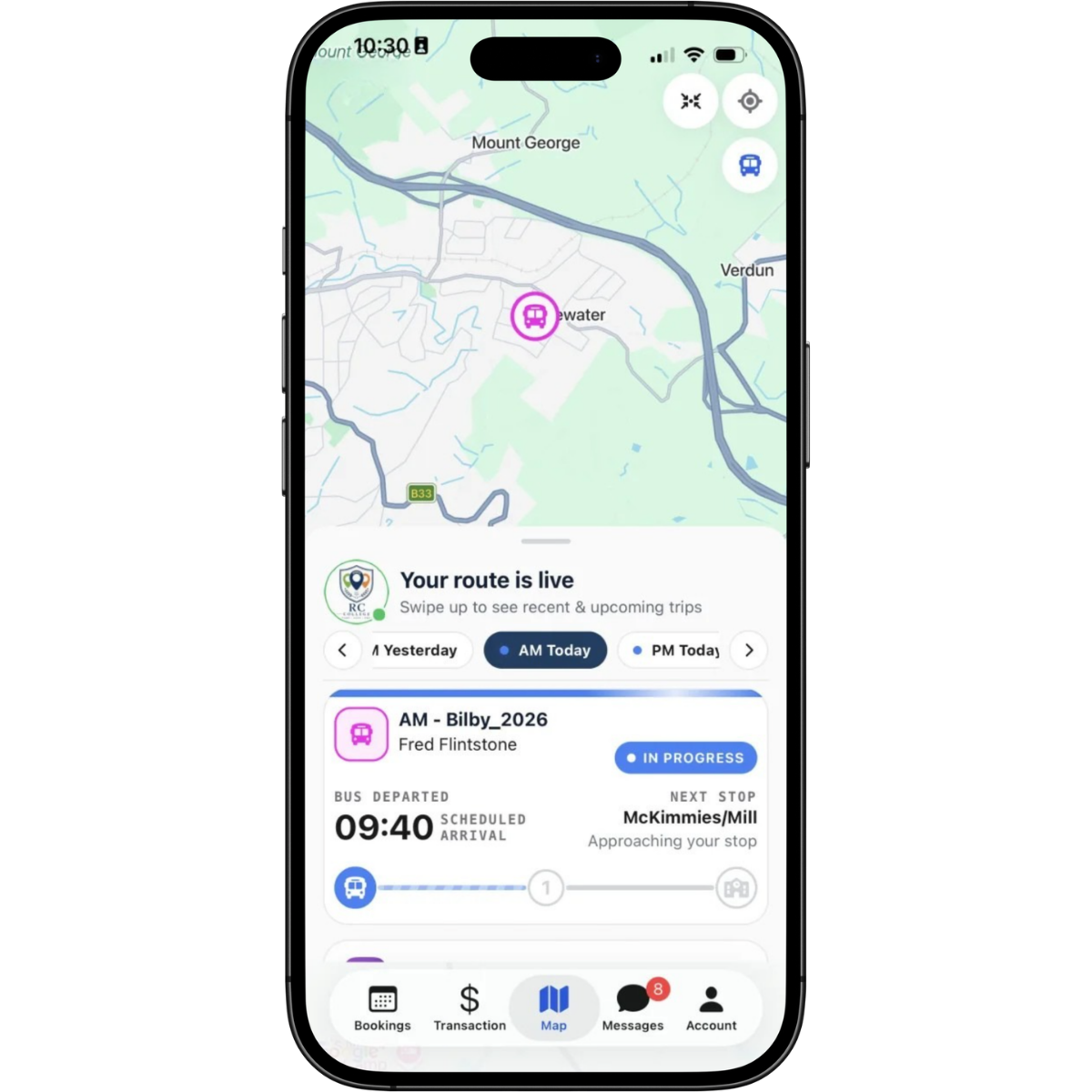
The whole app has been redesigned. Five clear tabs (Bookings, Payments, Map, Messages, Account) replace the old menus, everyday tasks take fewer taps, and every screen follows the same visual language. The app now supports larger text sizes and reduced motion, so it stays readable for every family, and a short guided tour on first sign-in shows you around.


More context on the live map

You could already watch your child's bus in real time. The new map tells you more:

  • A journey timeline showing when and where your child scanned on and off

  • Route progress and how many stops away the bus is

  • School campus markers

  • A button to centre the map on your own location

  • Follow Bus mode, carried over and smoother than before


Change bookings yourself

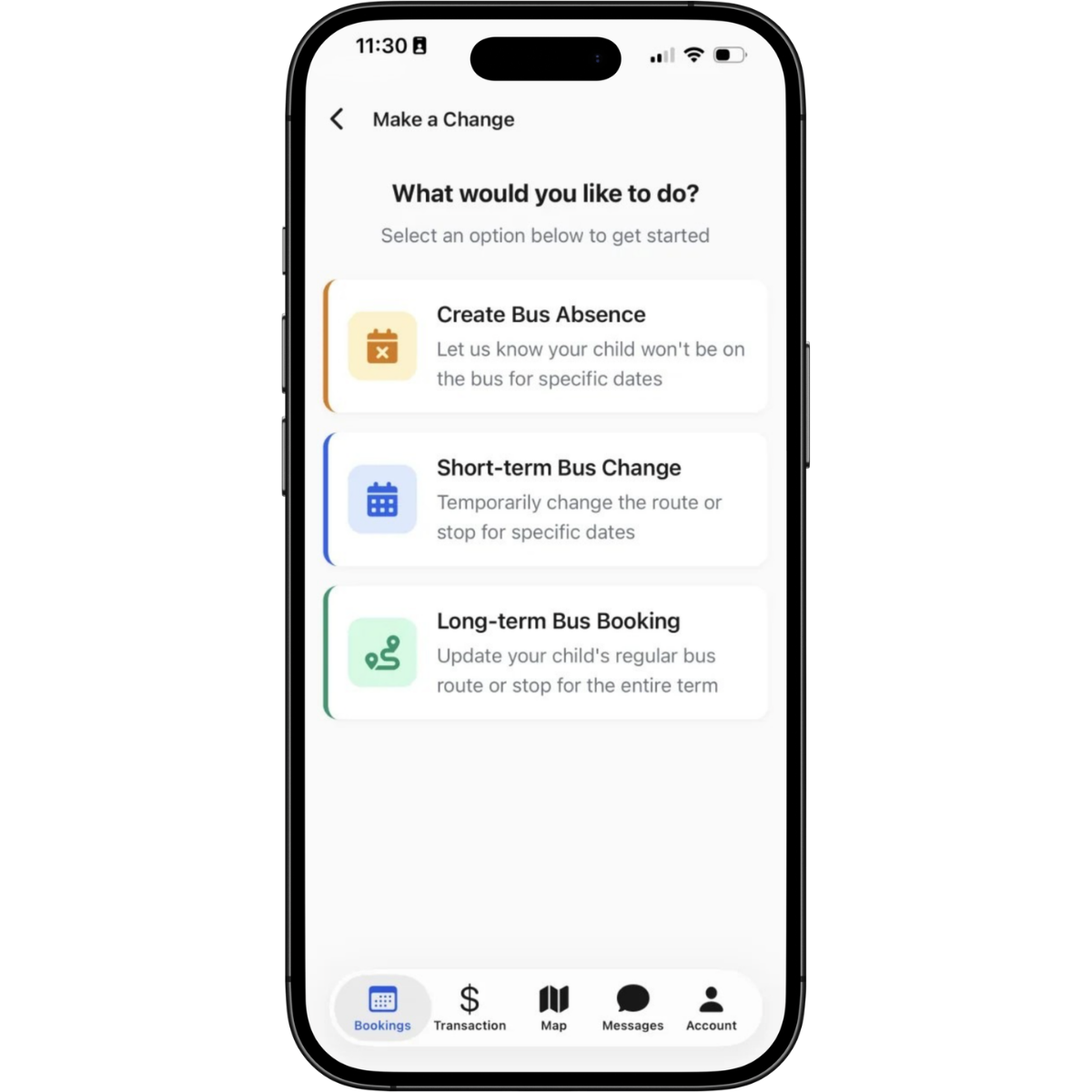
Creating a term booking was already in the app. Changing one is new. You can now:

  • Edit an existing term booking, no phone call needed

  • Add or remove individual travel days on a day-by-day timeline

  • Make a one-off stop change for a single trip without touching the regular booking

  • Pick stops on a map, sorted by distance from home

  • See school holidays marked in the booking calendar

Where your school assigns bookings, you can review and approve them in the app, and route changes now arrive as a notice you can acknowledge.


Absences, fewer taps

Reporting an absence works the way it always has, just quicker. Pick a single day or a date range, tick the affected journeys, add a reason and a note, and review past absences in a month-by-month history.


Choose how every alert reaches you

You could already choose which alerts to receive. Now you choose how each one arrives: push notification, email or both, set per alert and per child. Scan-on and scan-off, payment receipts and booking updates are all yours to personalise. Critical messages from your school (route updates, school announcements and low balance reminders) always come through.
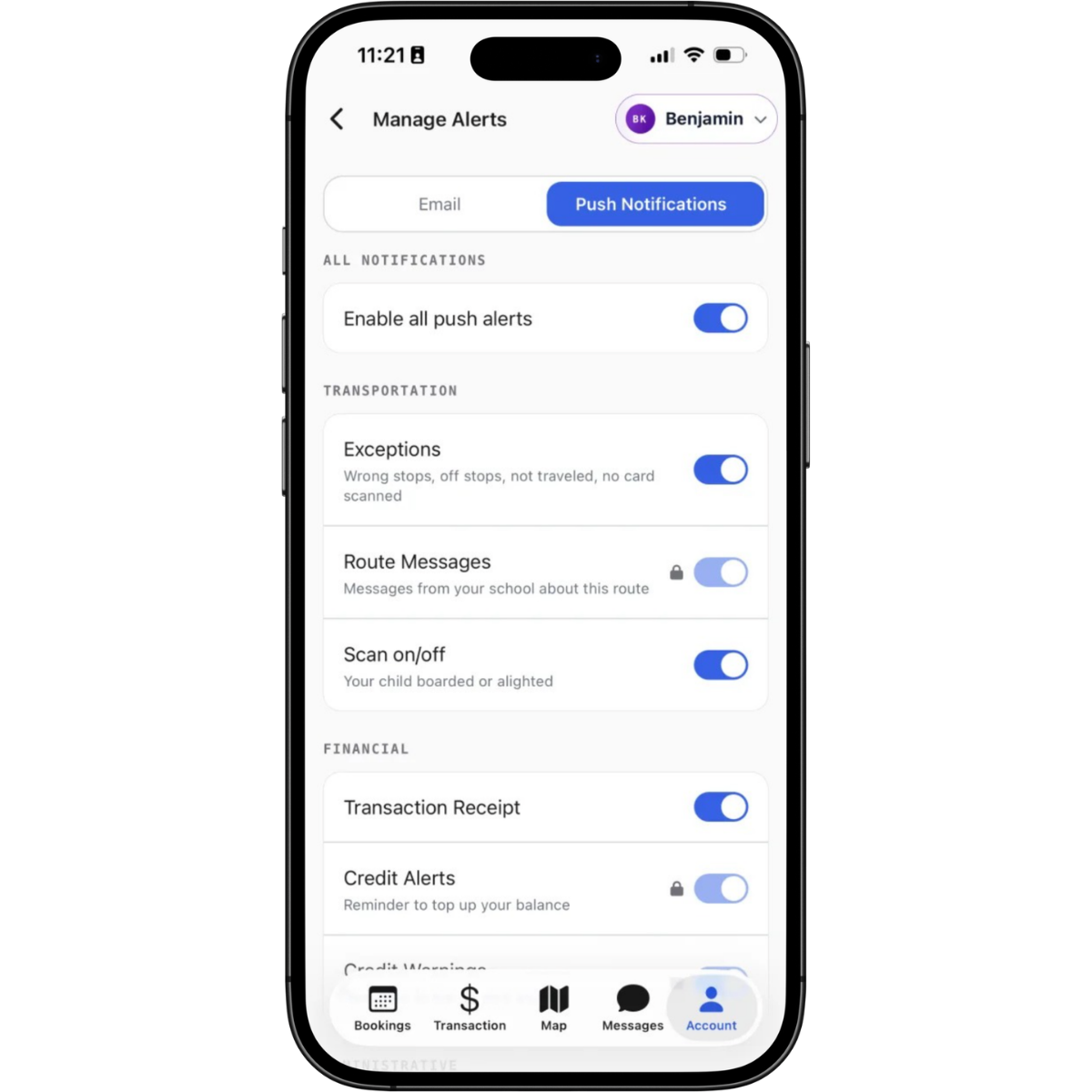


A smarter Messages inbox

School announcements and transport notifications live together in one tab, as before. New in 4.0: filter by unread, route or payment messages, mark everything as read in one tap, and jump from a message straight to the route map or top-up screen.


New in Account

  • Dark mode

  • Quick login with Face ID or fingerprint

  • Choose your language: English, Spanish or Chinese

  • Built-in help guides covering sign-in, bookings, tracking, absences, payments, notifications and carers

  • Password changes now verified with a one-time code for extra security

Carer access carries over: primary parents can invite trusted adults, and carers sign in with their own login, with access set by your school.
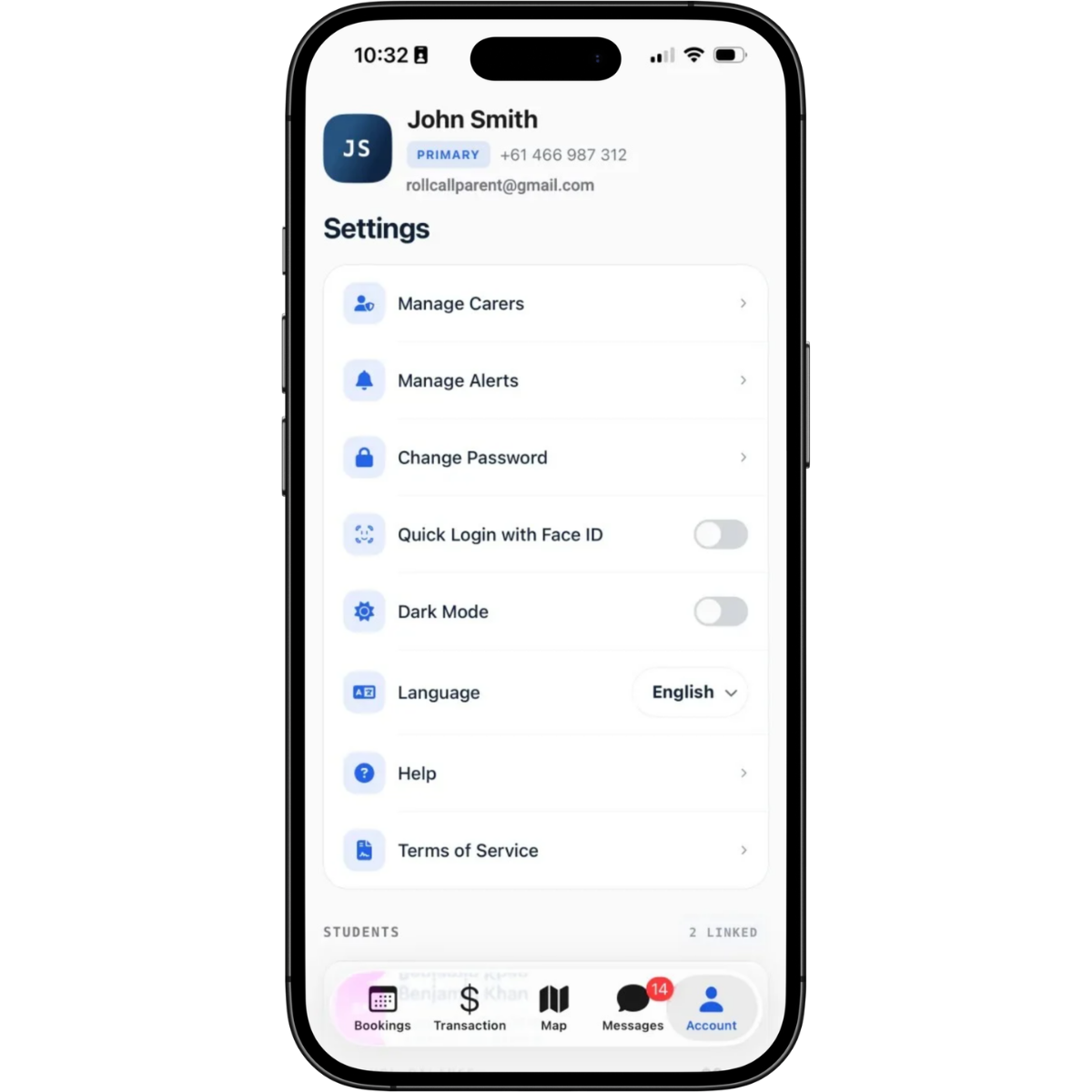


Payments, clearer

For schools using RollCall Payments, family and per-child balances, topping up several children in one payment and full payment history all carry over, now in a clearer layout with guided top-up amounts and a receipt for every transaction.


What's new for school administrators

Fewer routine enquiries

Parents can now make the changes that used to land in your office: editing term bookings, adding or removing single travel days and making one-off stop changes, all self-serve in the app. Built-in help guides answer the common how-do-I questions, and the first-run tour walks new parents through the app so activation doesn't generate support calls.


More control over bookings

Where your school assigns bookings, parents review and approve them in the app, and a declined booking comes back with a structured reason your team can act on. Route changes are delivered as in-app notices that parents acknowledge.


Communication that lands

The Messages inbox brings announcements and transport notifications together, and parents personalise how alerts arrive (push, email or both). Critical communications, including route updates, school messages and low balance reminders, are locked on, so essential information reaches every family.


Wider reach

The app now ships in English, Spanish and Chinese, supports larger text sizes and reduced motion, and adds quick login so parents can sign back in securely with Face ID or fingerprint. Sign-in continues to recognise a parent's school from their email address, with guided activation for first-time users.


Availability

RollCall Parent App 4.0 is available now for supported iOS and Android devices. Existing users can update via the Apple App Store or Google Play Store. New users download the RollCall Parent App and sign in with the email address registered with their school.

Some functionality varies with your school's RollCall configuration, including payments, booking permissions, authentication methods and carer access.


New Features & Enhancements


Parent Notification History

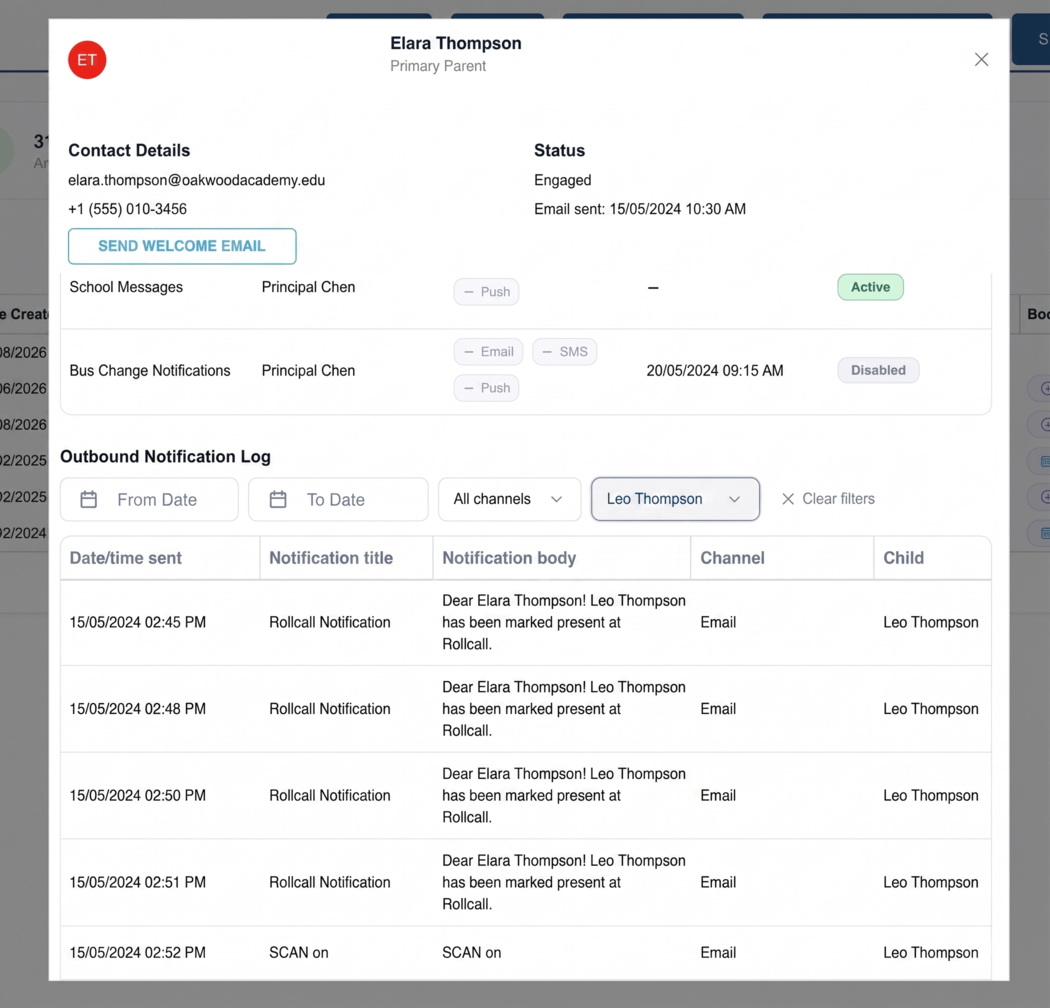
A new Notifications tab on parent records allows authorised staff to review parent notification settings and sent message history, including delivery status where available.

Choose Compass ID for Student Numbers

School administrators can now choose which Compass student ID field fills the RollCall Student Number, helping synced students match existing school records more accurately.


Upfront SMS Credit Payments

SMS credit top-ups are now only added after a successful card payment, helping prevent abandoned or failed purchases from creating incomplete finance records.


Credit Alert Controls for Inactive Accounts

Credit alert emails now stop automatically for students who have been inactive beyond the allowed reminder period, and administrators can apply a Do Not Send Automated Communications setting for sensitive cases.


Report Filters Show Valid Travel Periods

Campus performance threshold reports now only show afternoon trip options, while First Stop performance threshold reports only show morning trip options, helping prevent unsupported report selections.


Bus Absence Notes in Push Notifications

Parent notes added when reporting a bus absence in the Parent App are now included in the push notification, giving staff more context straight away.


Charge Records Show Correct Counts and Dates

Period-based transport fee records now keep the student count from when each charge was processed and show the processed date, making billing checks easier.


Traveller Types for Non-Travel Surcharges

School administrators can now choose whether non-travel surcharges apply to bus travellers, casual travellers or both, giving schools more control over surcharge behaviour.


Parent Access Prompt in Relationships Tab

School administrators now see an Enable Parent Access prompt after creating a new parent from a student’s Relationships tab, helping prevent parents being added without access being enabled.

What's fixed?


Long Alert Titles

Alerts with unusually long route, school or location names now send more reliably and create notification history records as expected.


Driver App Android Stability

The Android Driver App now behaves more reliably when reopening during a route, switching between online and offline coverage, and using in-app turn-by-turn navigation.


Pay-As-You-Go Transport Balances

Pay-as-you-go transport balances now stay aligned with transaction history, reducing unexplained differences between balances and account records.


Student Import Payment Charging Options

Student imports now remain in Needs Review when the Payment Charging Option is blank, helping prevent incomplete data from appearing ready to import.


Password Reset Lockouts

Successful Parent App password resets now clear temporary account lockouts, allowing parents to sign in straight away with their new password.


Partial Student Imports

School administrators can now select Active status when using Partial Update in the student CSV import, and the field is included in the sample template.


Student Type Dropdown

Student Type options now appear as separate choices when adding or editing a student, helping administrators complete student records correctly.


Transport Screen Surcharge Reasons

The Transport Screen now shows the reason for non-travel surcharge charges, helping schools understand why a charge was applied without checking another screen.


Route Planning House Icon Colours

House icon colours in route planning now update correctly after route changes and remain accurate when reopening saved plan versions.


Grouped Marker Student Totals

Grouped address markers in route planning now show the correct total number of students, including multiple students at the same address.


Route Planning Map Display

Route planning map display issues have been fixed so schools can review and plan routes more consistently.


Synced Parent Phone Number Formatting

Parent phone numbers synced from a school management system now use the correct country code format, helping parent contact records and SMS communication work correctly.


Parent CSV Updates

CSV updates to existing parent records now apply correctly when the parent already has a RollCall account.


CSV Import Statuses

CSV imports with many row errors now finish correctly in Import History, showing the final result and accurate success and error counts.


Parent Deactivation Preview

The school management system deactivation preview now avoids incorrectly showing parents for deactivation when their children are due to be reactivated in the next sync.


Synced Parent Access Settings

Parent records created through school management system syncs now show Parent Web access behaviour consistently with their sign-in result.


Bus Guardian Logged Count

The Bus Guardian Logged Count on the Transport Screen now remains accurate and stable for staff monitoring student status.


Parent App Bus Change Rules

The Parent App now correctly follows each school account’s bus change validation rules, blocking restricted changes while still showing the schedule and a clear reason.

? Need help??
Call us on 1300 821 116 or email support@rollcall.com.au 

You are receiving this email as you signed up for our newsletters.

Want to change how you receive these emails?

You can Unsubscribe or Update your preferences


Was this article helpful?

That’s Great!

Thank you for your feedback

Sorry! We couldn't be helpful

Thank you for your feedback

Let us know how can we improve this article!

Select at least one of the reasons
CAPTCHA verification is required.

Feedback sent

We appreciate your effort and will try to fix the article