Note: This article summarises the latest RollCall update. For screenshots and visual examples of the new features, please open the attached Release Notes PDF.
RollCall Release Notes – 12 February
Please find below the latest features, enhancements, and fixes to the RollCall system.
New Features & Enhancements
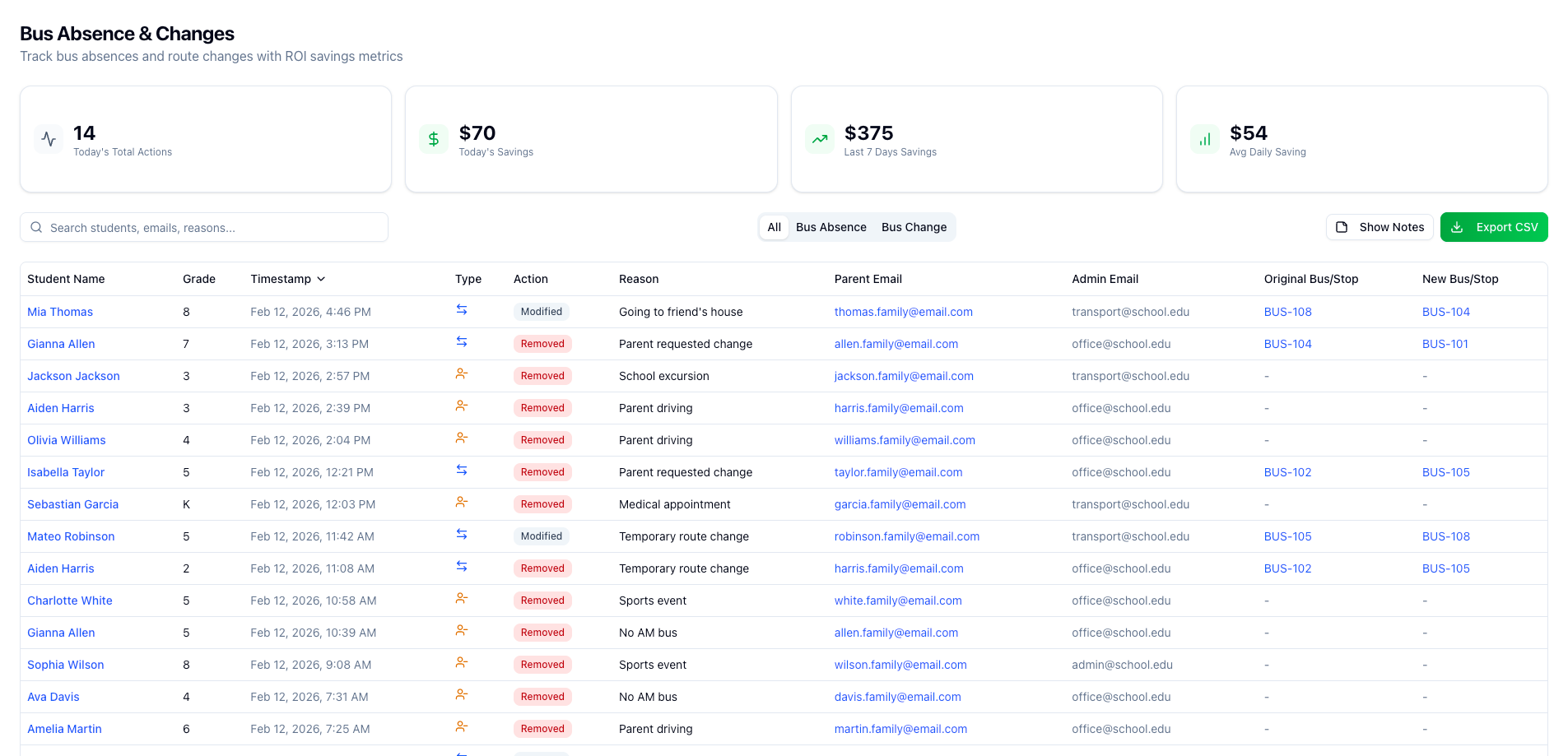
Unified Bus Changes & Absences Table
Transport updates are now easier to review and manage.
Bus Changes and Bus Absences have been combined into a single consolidated view, giving administrators full visibility of all student transport activity without switching between screens.
What’s New
Single unified table showing Bus Changes and Bus Absences together
New filter bar with:
Search
Type filters (All / Bus Absence / Bus Change)
CSV export
Sortable columns for quick data review
Tooltips showing parent contact details and bus/stop information
Clickable links on student names and bus details for faster navigation
Enhanced Reports Screen
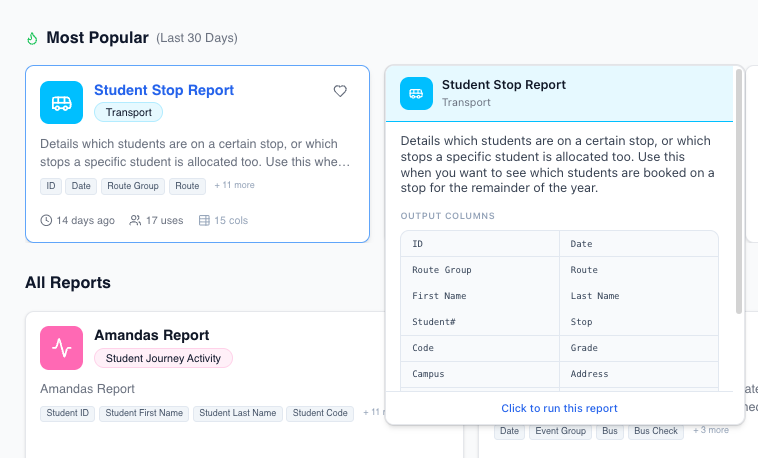
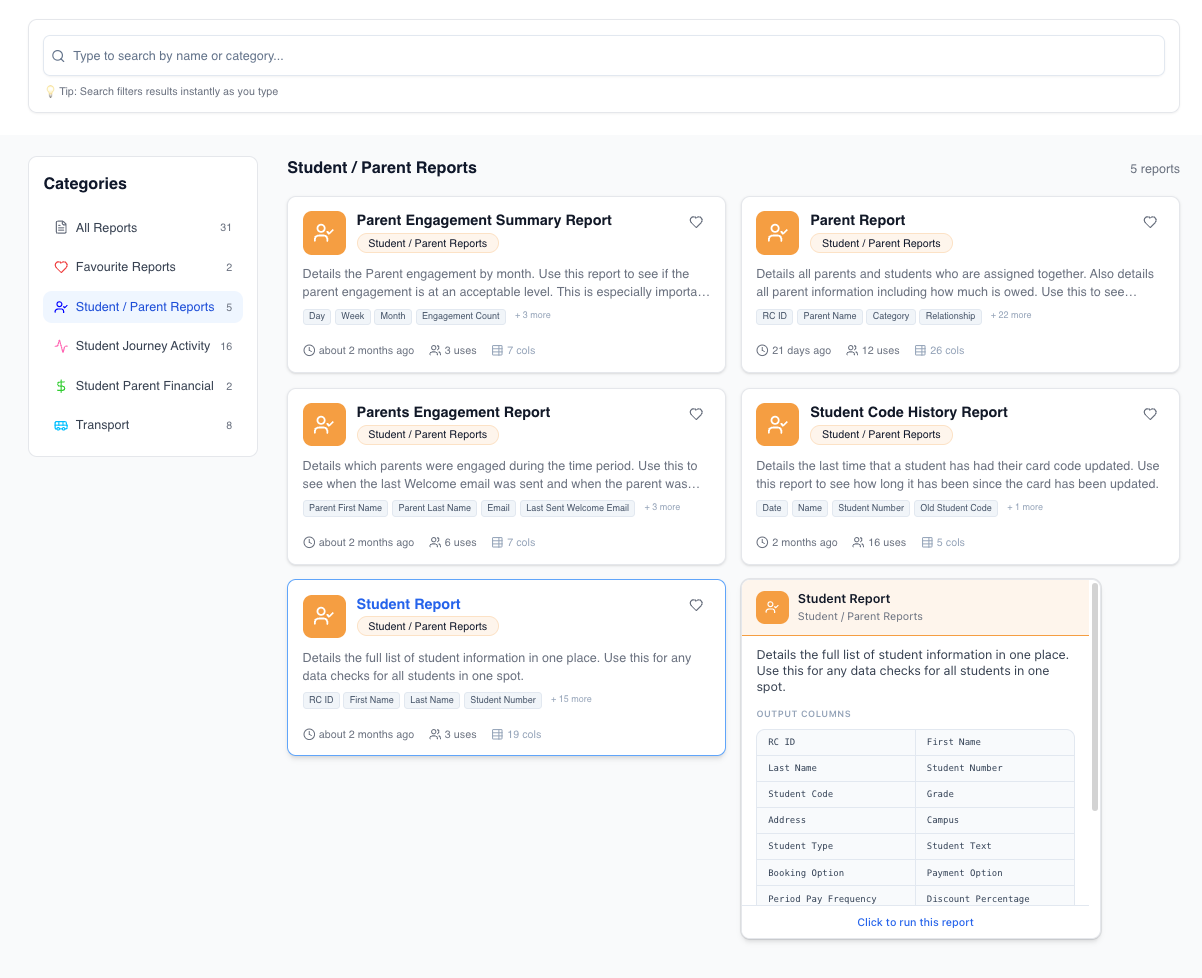
The Reports screen has been redesigned to help users find reports faster and configure them with greater clarity.
What’s New
Redesigned landing page with richer report cards, including:
Descriptions
Column previews
Usage information
New Recommended section showing:
Role-based report suggestions
Most popular reports from the past 30 days
Category sidebar with report counts and quick access to favourites
Live search across report names and descriptions
New collapsible Overview panel in the report runner showing:
Output columns
Filters
Related reports
Improved filter controls including:
Date pickers
Dropdowns
Toggle filters
Ability to navigate between related reports without leaving the module

Parent App Improvements
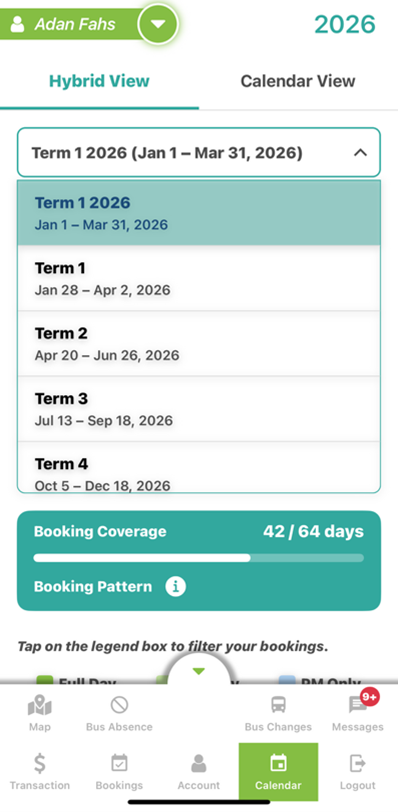
Improved Term Selection
Term selection in the Parent App has been improved for easier navigation.
What’s Changed
Terms now display in chronological order
The current term is automatically selected when parents open their bookings
The app remembers the selected term when:
Switching between students
Refreshing the page
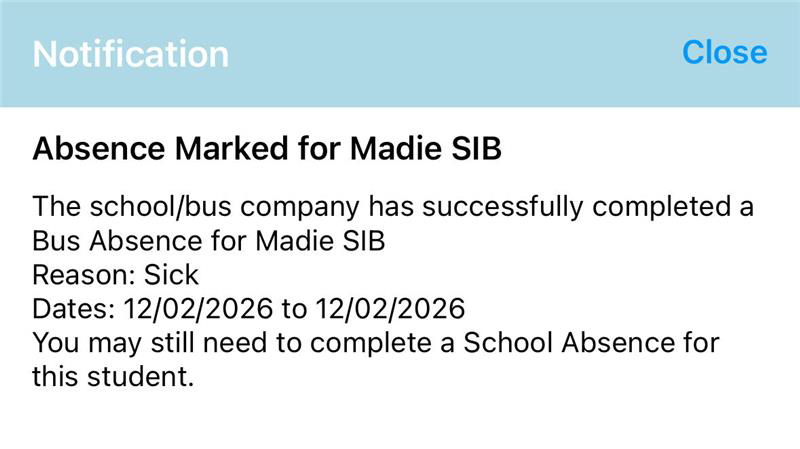
Parent Notifications for School-Created Bus Updates
Parents now receive email and push notifications when:
A school or bus company creates a bus absence
A student’s bus booking is changed
Why This Matters
This improves transparency and reduces unexpected transport changes for families.
Bug Fixes & Improvements
The following reliability improvements and fixes have been implemented:
Parent Login – Resolved edge cases affecting multi-school parent logins, including cases where secondary parents could not access all associated schools
Parent App – Bus Changes – Fixed an issue where the Bus Changes tab did not display available routes for some parents
Parent Portal – Payments – Fixed duplicate transaction entries appearing for failed RollCall Pay payments
Parent Records – Fixed an issue where updating parent details could fail if country code data was missing
Driver App – PM
Was this article helpful?
That’s Great!
Thank you for your feedback
Sorry! We couldn't be helpful
Thank you for your feedback
Feedback sent
We appreciate your effort and will try to fix the article