Overview
The Integrations Dashboard is the new centralised hub for managing and monitoring all RollCall integrations.
This dashboard replaces the previous fragmented integration experience, providing schools with a single location to:
Configure integrations
Monitor integration health
Access setup and management screens
View integration status and key metrics
Accessing the Integrations Dashboard
Navigate to:
Integrations → Dashboard
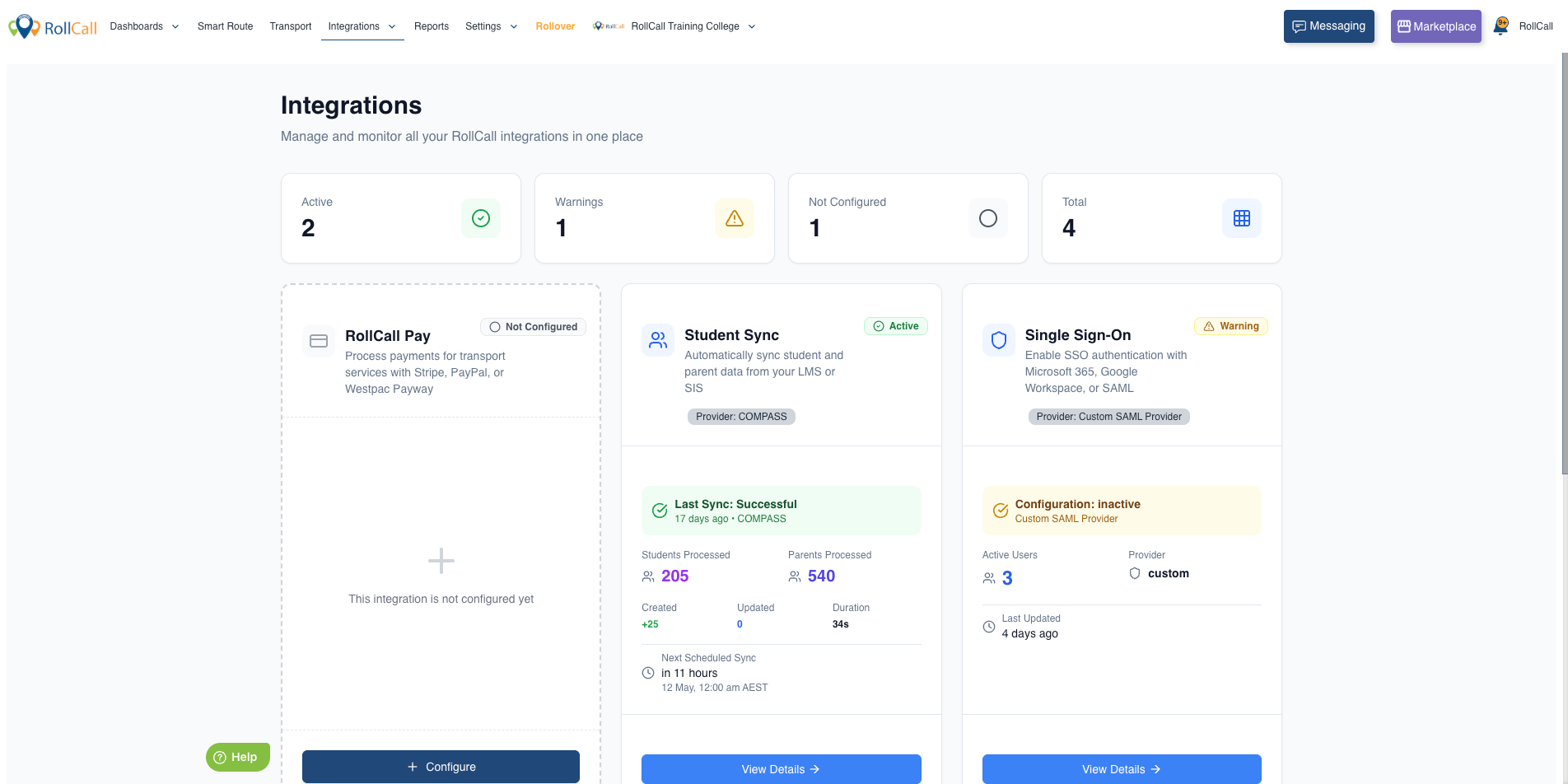
From here, schools can manage all available integrations.
Available Integrations
The dashboard currently supports:
RollCall Pay (WestPac Payway, Stripe, NAB, PayPal, etc.) - RollCall Pay – Setting Up Your Payment Gateway
Student Sync (LMS) - Guide to RollCall Integrations and Plugins
Single Sign-On (SSO) - SSO - Setting up your SSO Integration
Card Integrations (PPC) - Card Media – Setting Up Your Card Media Integration
Dashboard Features
Summary Metrics
At the top of the dashboard, schools can view:
Active integrations
Warning statuses
Not Configured integrations
Total integration count
Status Indicators
| Status | Colour |
|---|---|
| Active | Green |
| Warning | Yellow |
| Error | Red |
| Not Configured | Gray |
Was this article helpful?
That’s Great!
Thank you for your feedback
Sorry! We couldn't be helpful
Thank you for your feedback
Feedback sent
We appreciate your effort and will try to fix the article