Overview
The FACTS Integration allows schools to synchronise student and parent data from FACTS into RollCall.
Before configuring the integration in RollCall, the school must first be added as a Partner School within the FACTS School Management (FSM) Portal.
Before You Begin
Please contact RollCall Support if you would like to set up a FACTS LMS Integration.
Our team will:
- Add your school as a Partner School within the FACTS School Management (FSM) Portal
- Provide any required setup assistance
- Confirm when your school is ready to complete the RollCall configuration
Once this has been completed, you can continue with the setup below.
Access LMS Settings in RollCall
Navigate to:
Integrations → Student Sync → FACTS
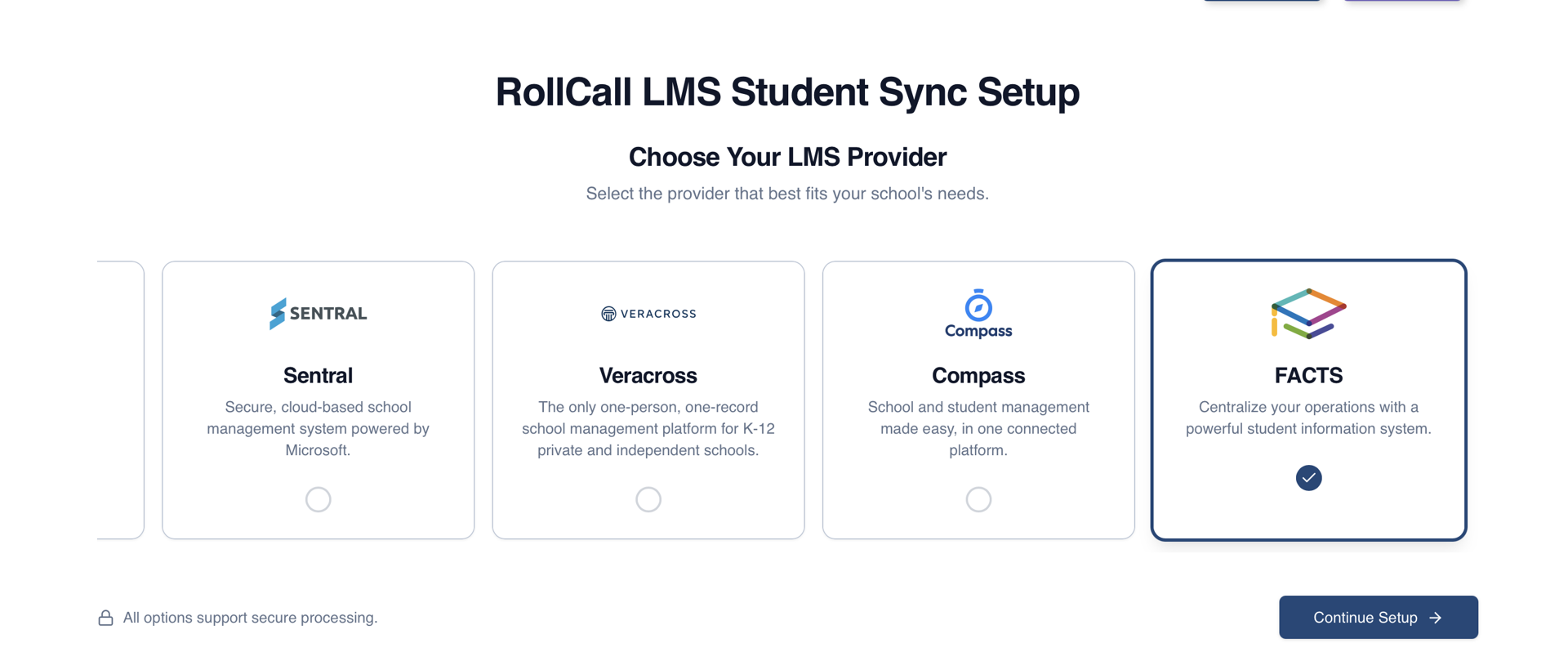
New Integration
If no integration currently exists:
Select FACTS
Click Continue Setup
Existing Integration
If a FACTS integration already exists:
Open the integration
Select Settings

Basic Settings
API Key
The API Key is used to authenticate requests between RollCall and FACTS.
Enter the API Key provided during the FSM Portal setup.
Enable Nightly Sync
When enabled:
The sync will run automatically every day at 2:00 PM UTC
When disabled:
Syncs must be run manually

Parent Filtering
Parent Filters determine which parent records are synchronised into RollCall.
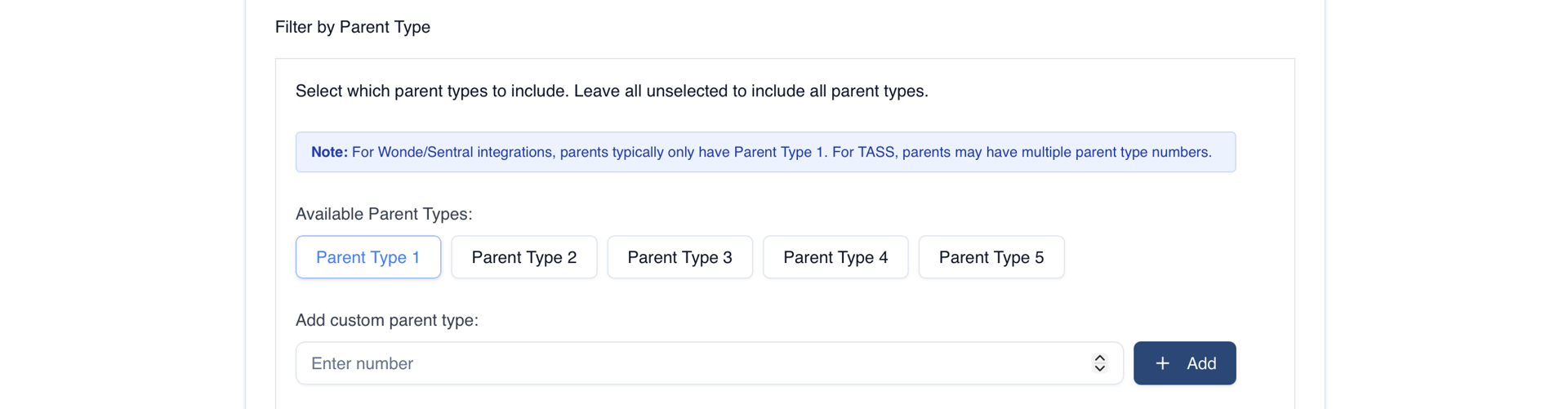
Filter by Parent Types
FACTS automatically assigns Parent Types based on:
Priority 1
Parents with:
legal_guardian = "Y"
Other Parent Types
Parents without legal responsibility use:
caregiver_order
Priority Check Mode
Multi
Includes all parents matching the selected Parent Types.
Cascade
Checks Parent Types in order and only syncs the configured number of parents.
Parent Type Cascade Order
Only available when:
Priority Check Mode = Cascade
Determines the order Parent Types are evaluated.
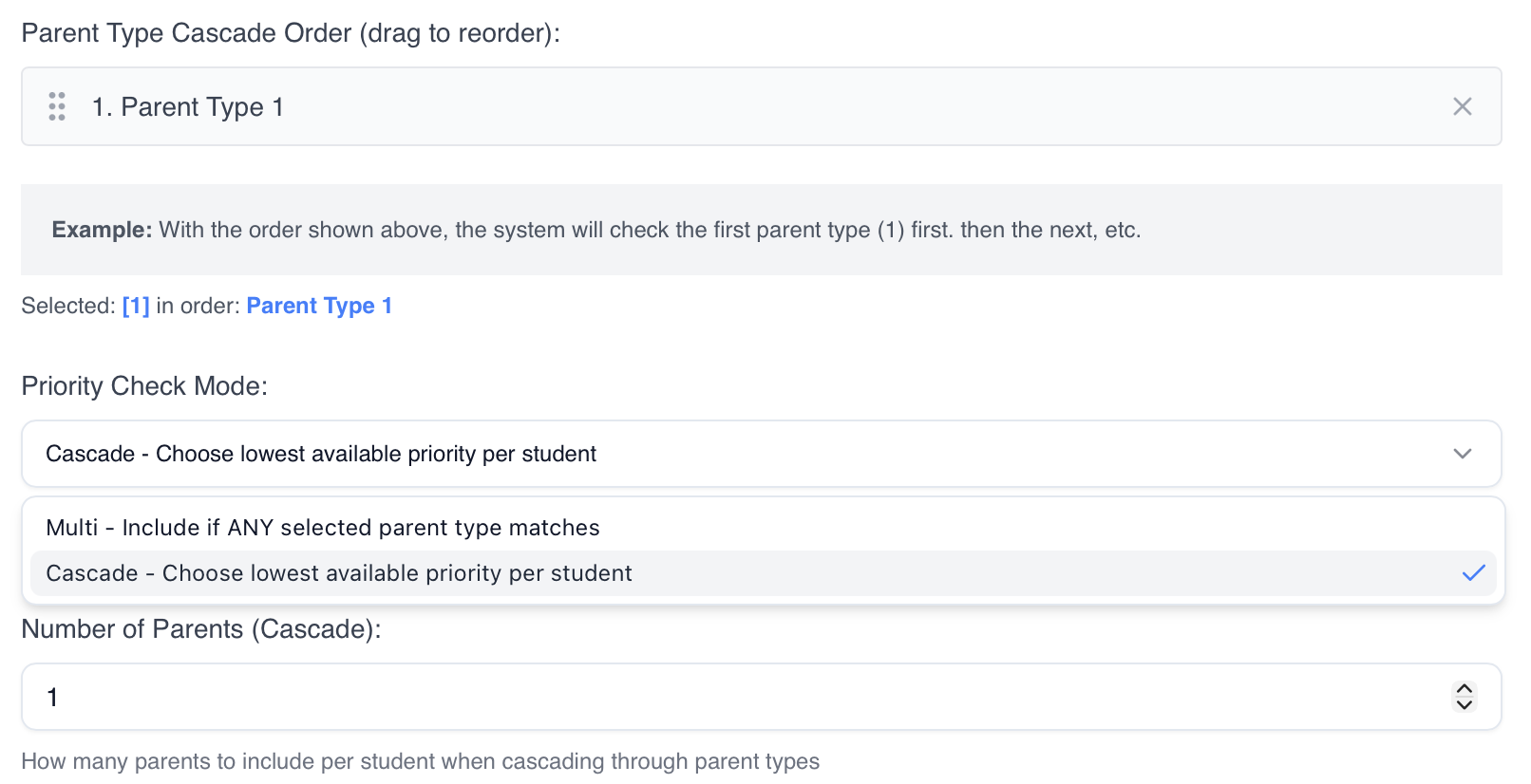
Number of Parents
Only available when:
Priority Check Mode = Cascade
Limits the maximum number of parents synced per student.
Only Include Parents Who Live With Student
When enabled:
Only parents with:
lives_with = "Y"
will be synchronised.
Only Include Correspondence Contacts
When enabled:
Only parents with:
correspondance = "Y"
will be synchronised.

Important
All Parent Filters operate using AND logic.
Parents must satisfy all enabled filter conditions to be included in the sync.
Other Settings
Include Future Students
When enabled:
Students with:
student_group = "Intending"
will also be included.
By default, only:
Current
Pseudo
students are synchronised.
Future Student Rules
Future students are only included if:
Their start date is within 3 months of the sync date
This is determined using:
date_arrival
Exclude Fields From Sync
Campus
When Campus is excluded:
During Student Creation
Campus is set to null
During Student Updates
Existing Campus values remain unchanged
Campus data from FACTS is ignored

Best Practice Recommendations
✅ Add the school to the FSM Portal before configuring RollCall
✅ Verify the API Key before saving the integration
✅ Review Parent Filters carefully before running the first sync
✅ Use Nightly Sync for automated updates
✅ Generate a Preview before running a Manual Sync
Summary
The FACTS Integration setup process consists of:
Adding the school as a Partner School in the FSM Portal
Configuring FACTS in RollCall
Applying any required Parent Filters
Configuring additional sync settings
Generating a Preview and validating the results before synchronisation
Once configured, student and parent data can be synchronised directly from FACTS into RollCall.
Was this article helpful?
That’s Great!
Thank you for your feedback
Sorry! We couldn't be helpful
Thank you for your feedback
Feedback sent
We appreciate your effort and will try to fix the article