Overview
The JSON Payload Explorer allows schools to review the raw and transformed data received from FACTS during a sync.
This tool is primarily used for:
Troubleshooting sync issues
Reviewing student and parent data
Understanding why records are included or excluded from a sync
Verifying sync settings and LMS data
Accessing the JSON Payload Explorer
After a successful sync:
Navigate to:
Integrations → Student Sync → FACTS
Locate:
Latest Sync Status
Click:
View Sync Details
This opens the JSON Payload Explorer.

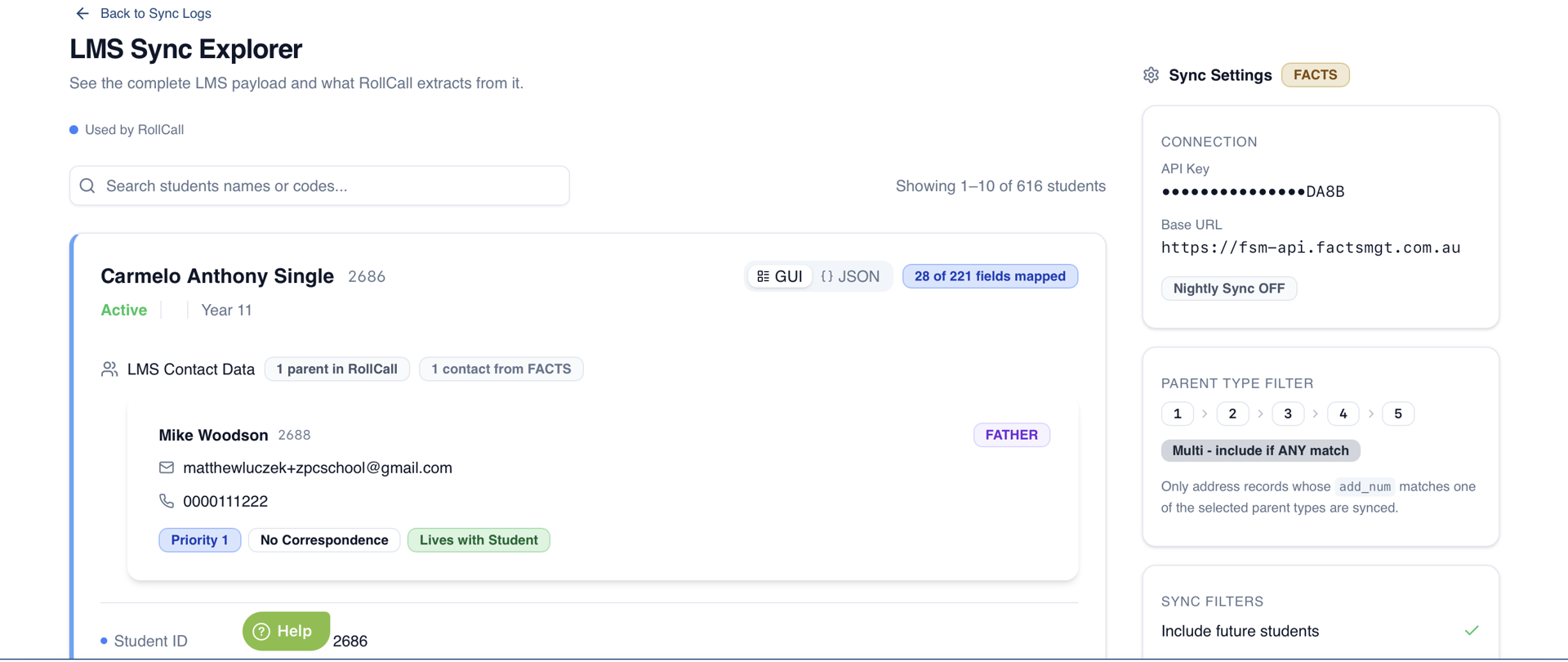
Search Functionality
At the top of the page is a search bar.
You can search using:
Student first name
Student last name
Student code
FACTS Student Code
For FACTS, the code displayed is the student's:
student_id
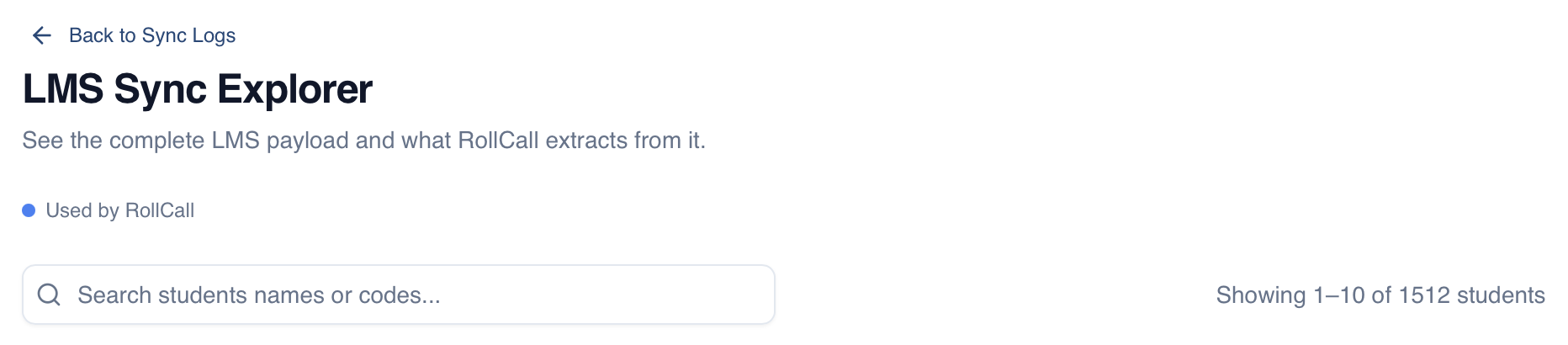
Student Overview
Each student card displays key information including:
Student Name
Student Number
Active Status
Campus
Year Level
Campus
If no campus exists in FACTS, this field will be blank.
Used Fields Count
The upper-right corner of each student card displays:
Number of fields currently used during processing
Total number of available fields
Important
The count includes:
Student fields
Parent fields

GUI View
By default, data is displayed in a user-friendly format.
The GUI View displays:
Student information
Parent information
Transformed RollCall data
Relationship information
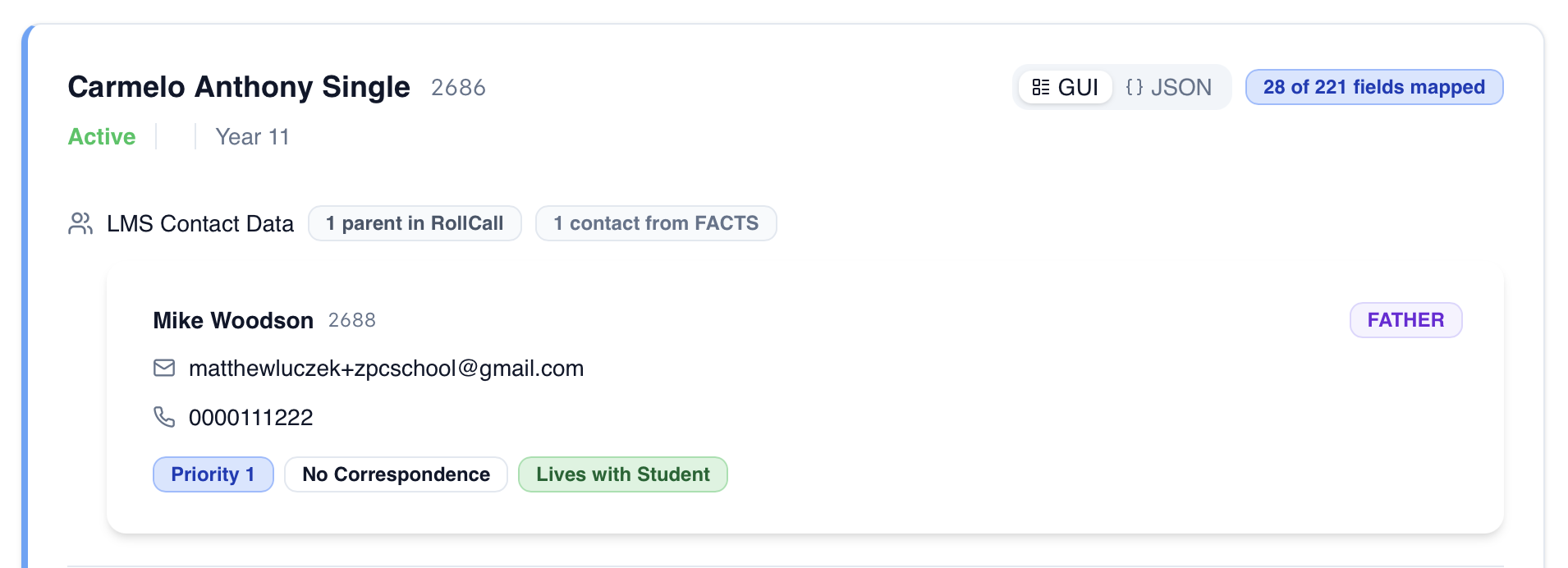
Parent Information
Under each student, you can view the linked parent records.
The summary displays:
Number of parents linked in RollCall
Number of contacts linked in FACTS
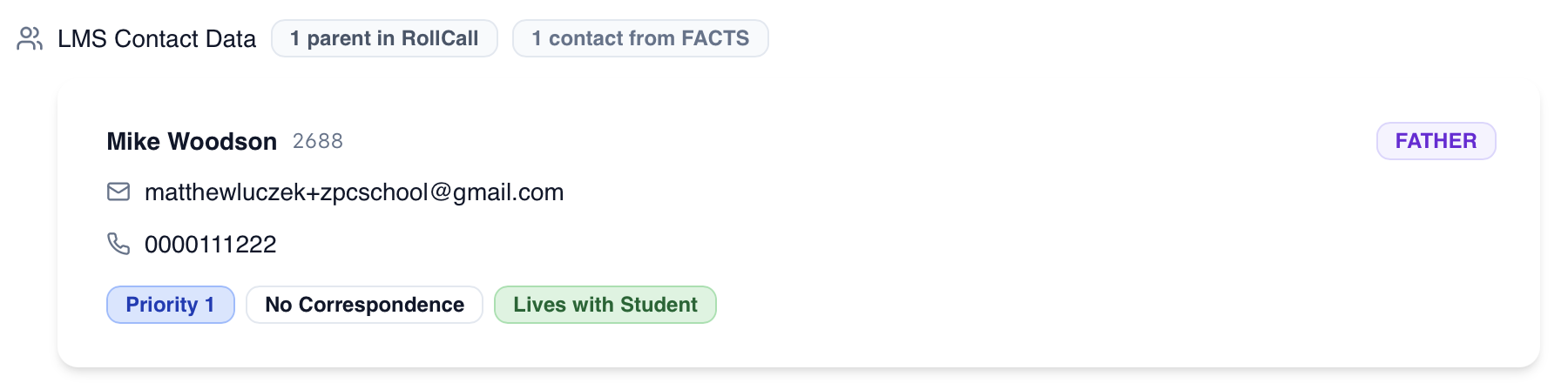
Parent Details
Each parent card displays:
Parent Name
LMS Identifier
Email Address
Phone Number
Priority
Correspondence Status
Lives With Student Status
FACTS Parent Identifier
For FACTS, the LMS identifier is:
member_id
Parent Priority
Priority is determined using the following rules:
Priority 1
Assigned when:
legal_guardian = "Y"
Other Priorities
Determined using:
caregiver_order
Correspondence Status
Parents display:
Receives Correspondence
No Correspondence
Based on:
correspondance = "Y"→ Receives Correspondencecorrespondance = "N"or blank → No Correspondence
Lives With Student
Based on:
lives_with = "Y"→ Lives With Studentlives_with = "N"or blank → Does Not Live With Student
Parent Email Requirement
Parents without an email address will not be synchronised.
Email addresses are required for:
Parent account creation
Parent login access
LMS matching
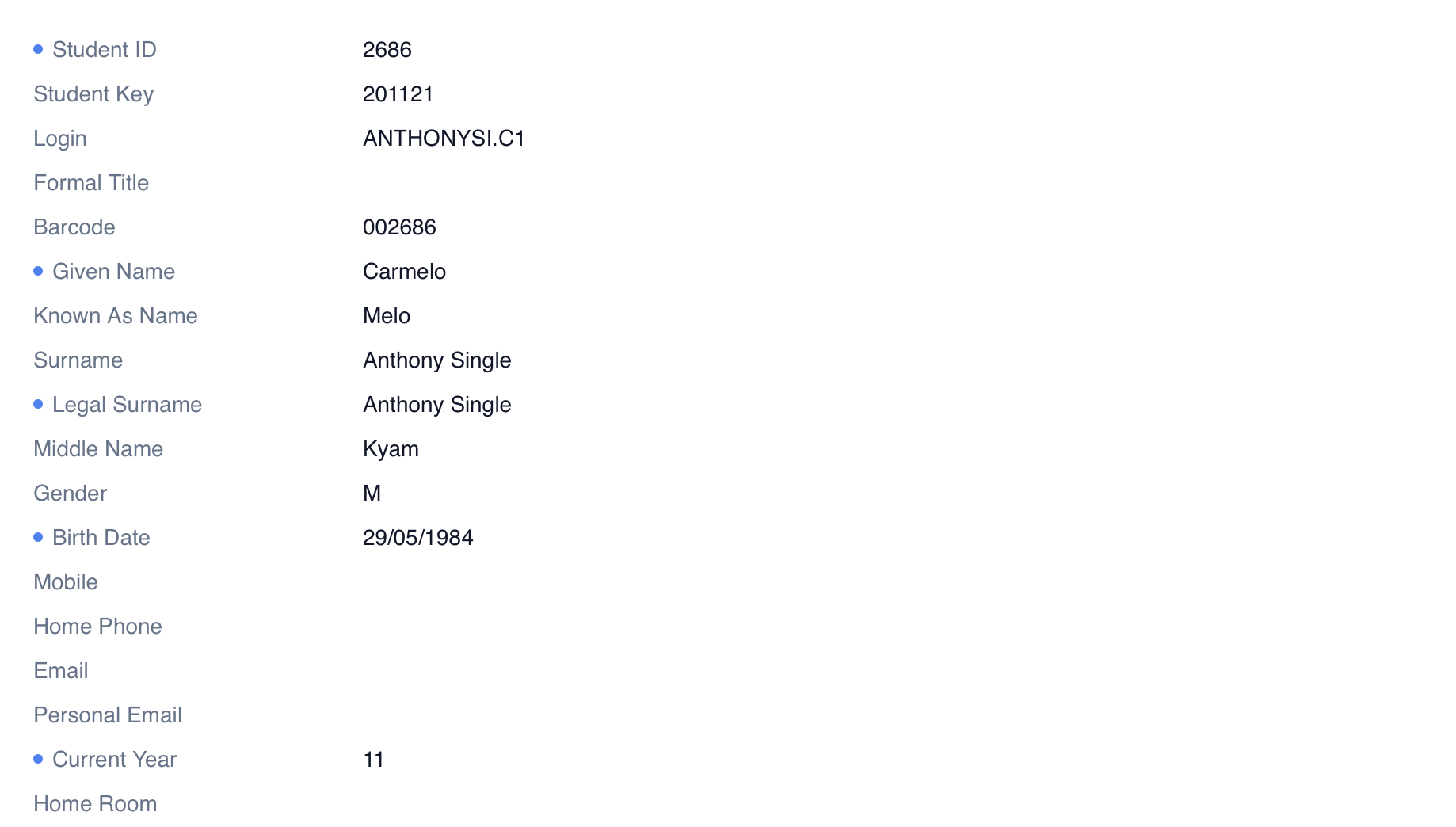
Raw Data View
Below the transformed data is the Raw Data section.
This displays:
The original data returned by FACTS
No processing or transformation applied
Nested Data
Some fields contain expandable sections.
Example:
Linked Caretakers
Selecting the dropdown will display the underlying data associated with that record.
Used Fields Indicators
Blue dots beside fields indicate:
Data currently used by RollCall during processing
For example:
Student Given Name
Parent Email
Student ID
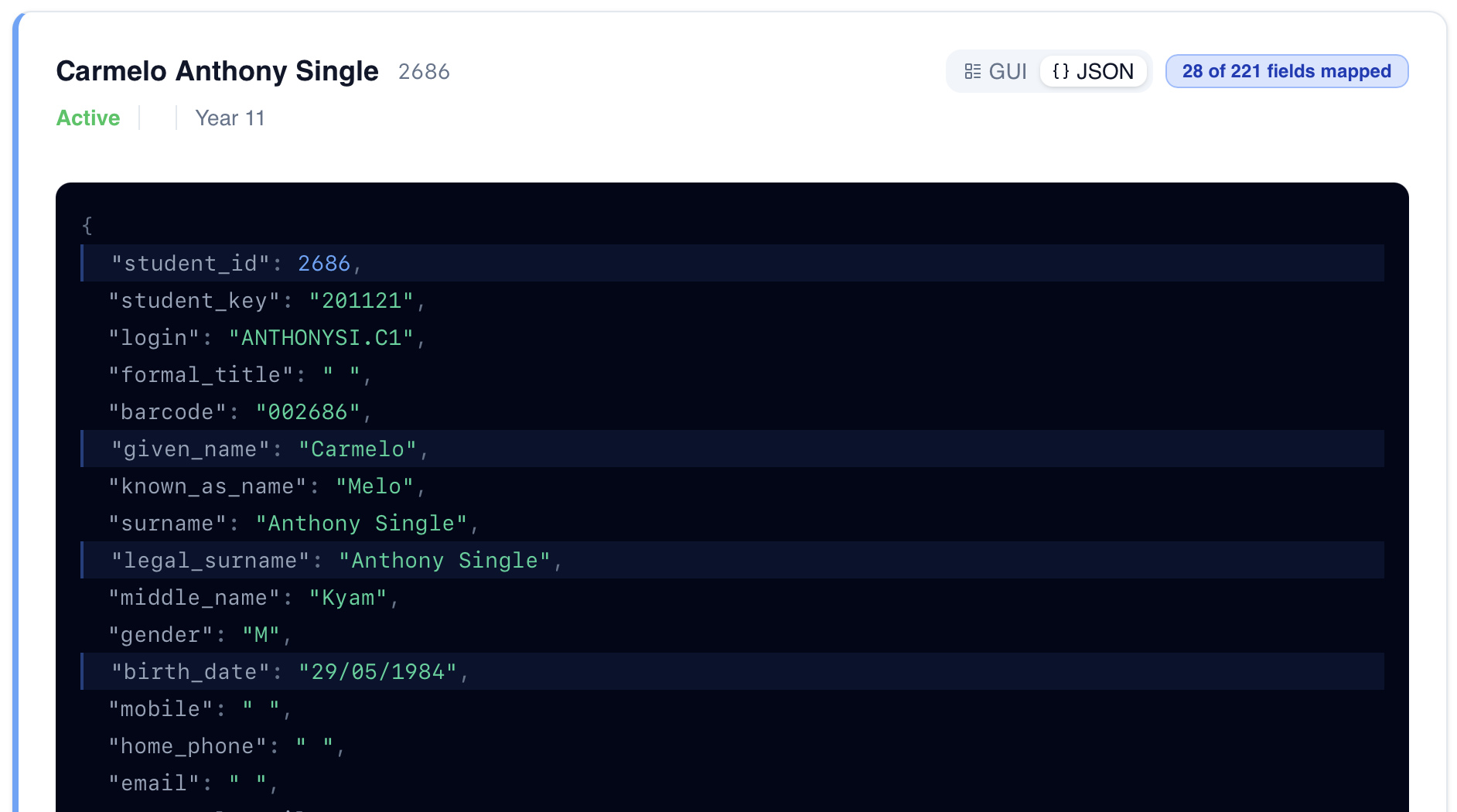
JSON View
Selecting the JSON Toggle changes the display from GUI View to JSON View.
This displays:
The exact JSON response received from FACTS
Original LMS field names
Raw response structure
Linked Objects
Some JSON fields begin with:
_linked_
Example:
_linked_caretakers
These are additional objects retrieved separately and attached to the main record.
They are not part of the original FACTS response.
Used Fields in JSON View
Fields highlighted in blue indicate:
Data actively used by RollCall during processing
Examples:
given_namestudent_idmember_id
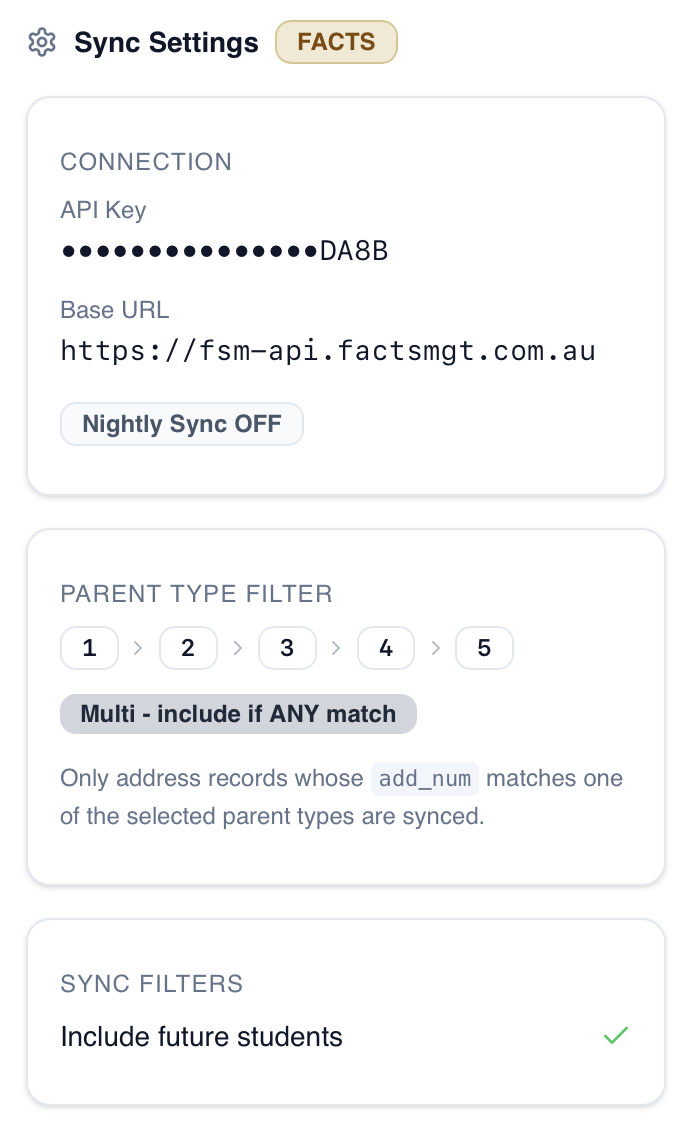
Sync Settings Panel
The right-hand panel displays the school's current FACTS sync configuration.
This can help identify why:
Students are missing
Parents are excluded
Records are not syncing as expected
Examples include:
Parent Filters
Correspondence Filters
Lives With Student Filters
Future Student Settings
Best Practice Recommendations
✅ Use the search bar to locate specific students quickly
✅ Verify student and parent data before troubleshooting sync issues
✅ Check Used Fields when investigating missing information
✅ Confirm parent email addresses exist in FACTS
✅ Review Sync Settings when records are unexpectedly excluded
✅ Compare GUI View and JSON View when diagnosing data mapping issues
Summary
The JSON Payload Explorer provides a complete view of both the raw FACTS data and the transformed RollCall data used during synchronisation.
It is the primary troubleshooting tool for understanding:
What data FACTS is providing
How RollCall processes that data
Why records are included, excluded, or updated during a sync process.
Was this article helpful?
That’s Great!
Thank you for your feedback
Sorry! We couldn't be helpful
Thank you for your feedback
Feedback sent
We appreciate your effort and will try to fix the article