Overview
This guide explains how to quickly upload and assign students to an Excursion in RollCall using the Excursion Import feature.
Excursions Training Guide
Step 1 – Open the Transport Screen
Navigate to:
- Transport Screen
Step 2 – Open Route Options
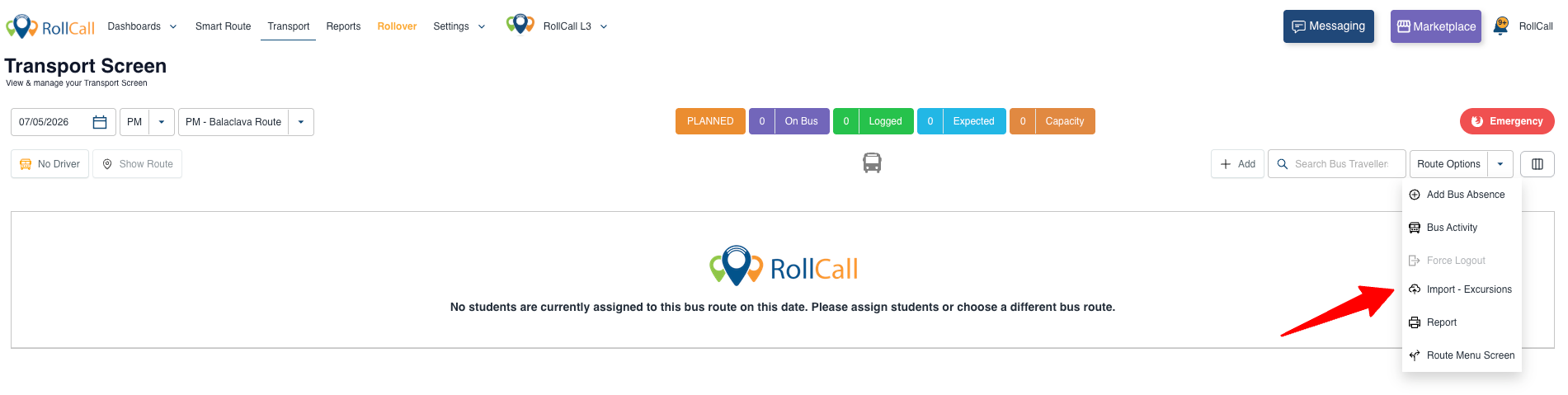
On the right-hand side of the screen:
- Locate Route Options
- This is positioned underneath the Emergency button
Step 3 – Select Import Excursions
Click:
- Import → Excursions
Step 4 – Download the Sample Template
Click:
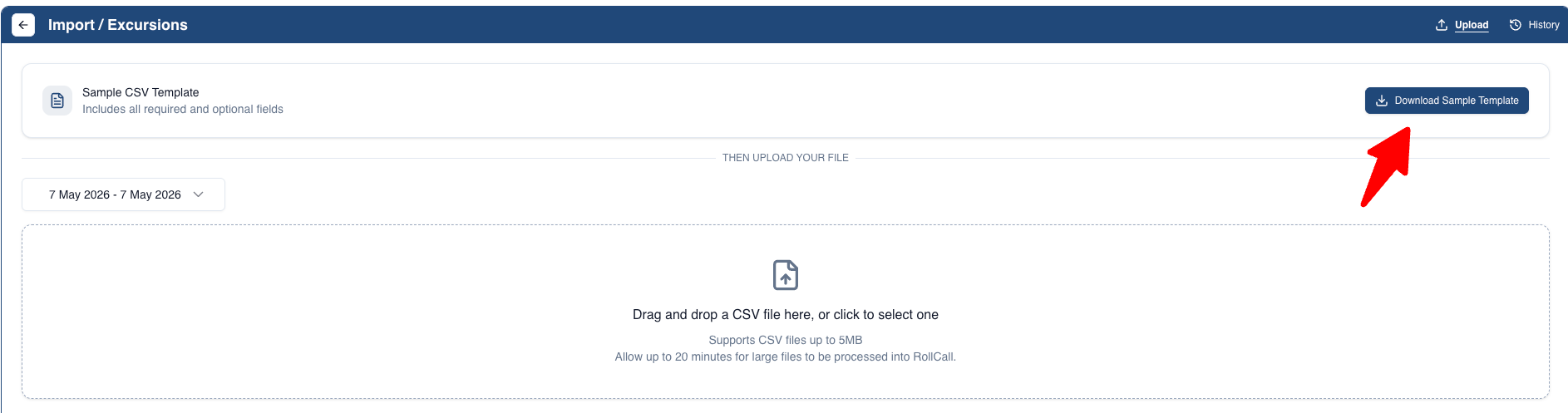
- Download Sample Template
This will provide the required CSV format for importing students.
Step 5 – Enter Student Numbers
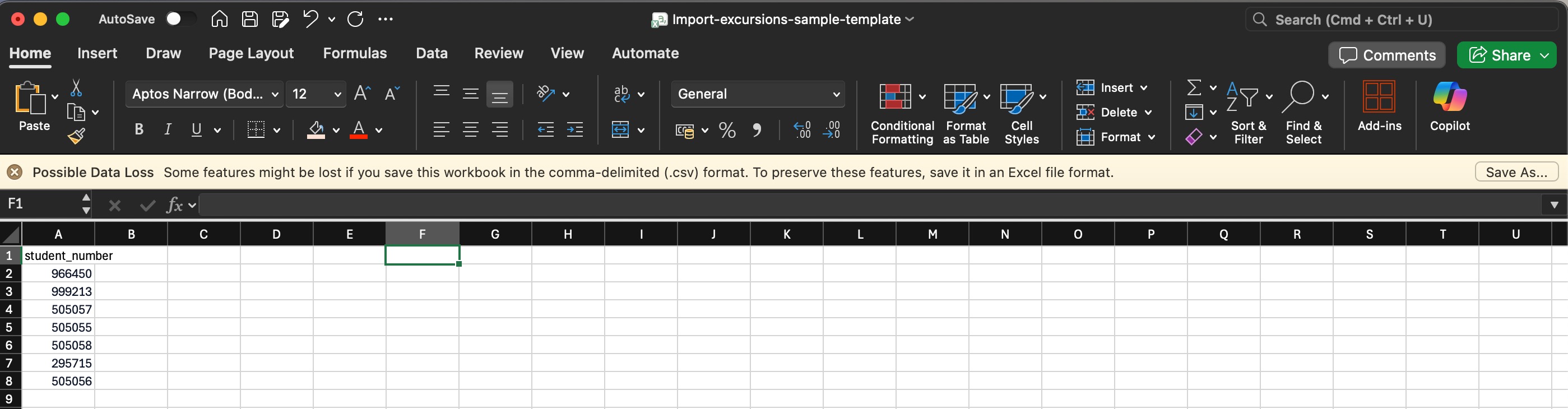
Open the downloaded template and:
- Enter the Student Numbers of all children attending the excursion
Student Numbers are typically sourced from your LMS or Student Management System.
Step 6 – Save the File
Save the completed file as:
- CSV (.csv) format
Step 7 – Upload the CSV
Return to RollCall and:
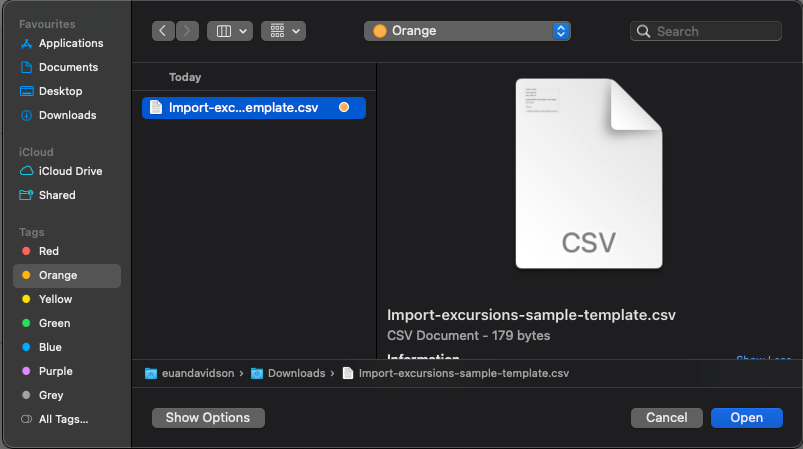
- Upload the completed CSV file via:
- Drag & Drop
- OR file selection
Step 8 – Select All Students
After upload:
- Click Select All
- If over 25 children, a shaded yellow box will appear, click the blue underlined “Select All” text inside the yellow box
This ensures all uploaded students are selected for allocation.
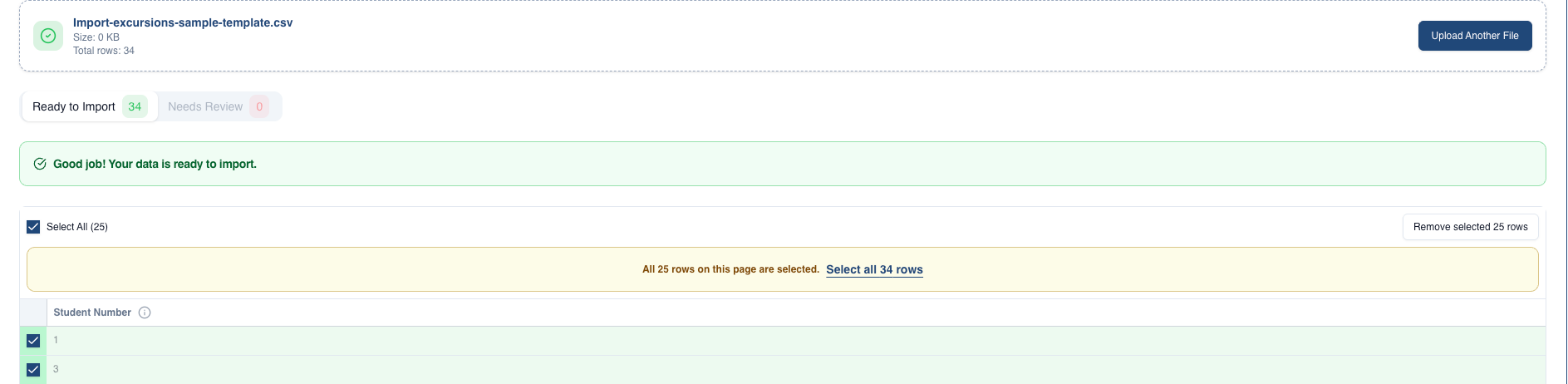
Step 9 – Upload
Click Import
RollCall will now allocate the students to the excursion.

Step 10 – Verify the Excursion
Return to the:
- Transport Screen
Confirm:
- All students appear correctly on the excursion
- Correct route/date is displayed
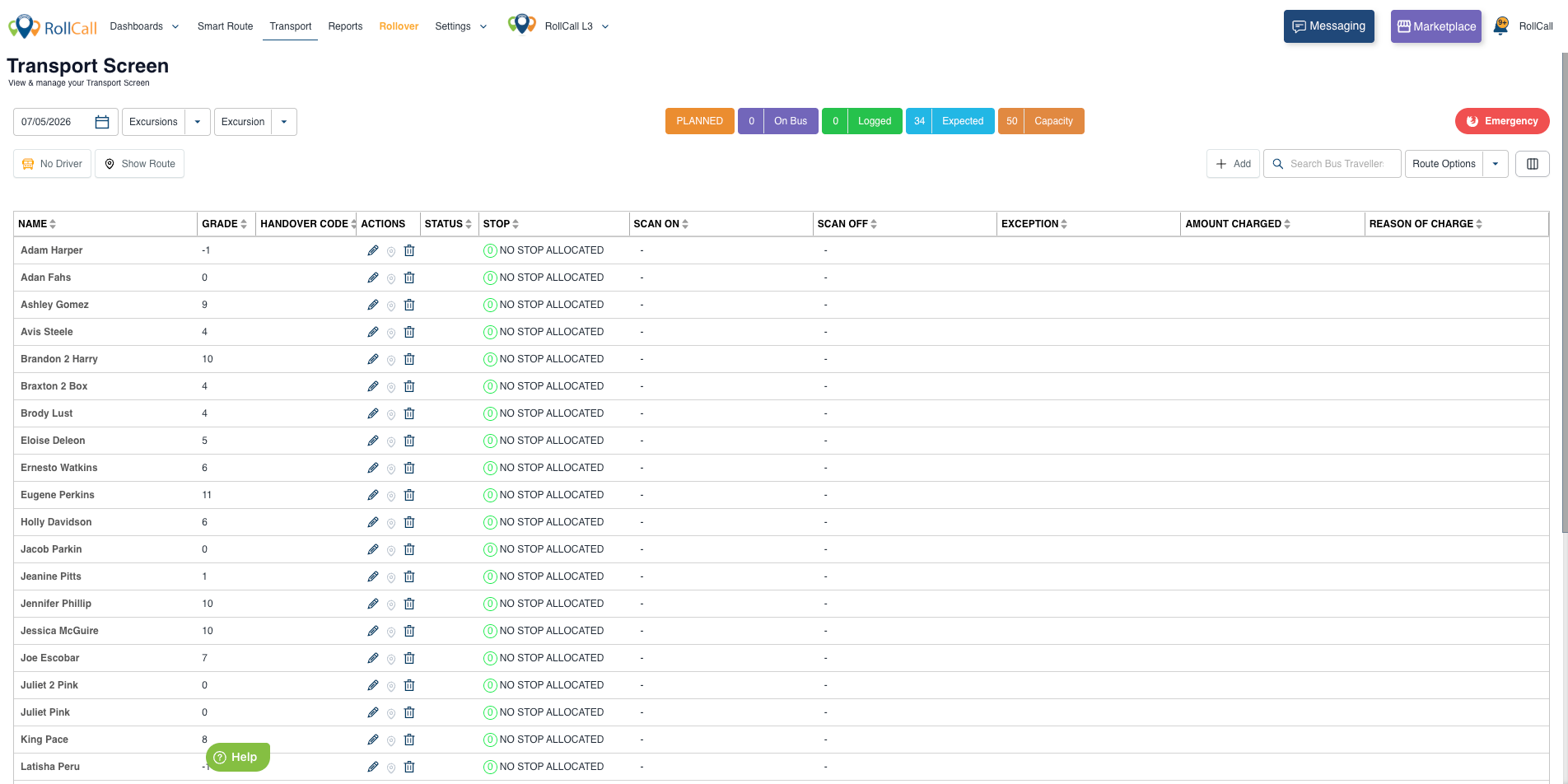
Important Note ⚠️
All students imported via Excursion Upload will automatically be allocated:
- NO STOP ALLOCATED
This is expected behaviour for Excursion imports.
Best Practice Recommendations
✅ Double-check Student Numbers before upload
✅ Ensure CSV format matches the sample template
✅ Review the Transport Screen after upload
✅ Use clear Route names for easier identification
Common Issues
| Issue | Cause |
|---|---|
| Students not appearing | Incorrect Student Number |
| Upload fails | CSV formatting issue |
| Partial upload | Not all students selected in yellow box |
| Wrong excursion | Incorrect route/date selected |
Was this article helpful?
That’s Great!
Thank you for your feedback
Sorry! We couldn't be helpful
Thank you for your feedback
Feedback sent
We appreciate your effort and will try to fix the article