This guide explains how to generate a report and what happens if it is processed during peak hours.
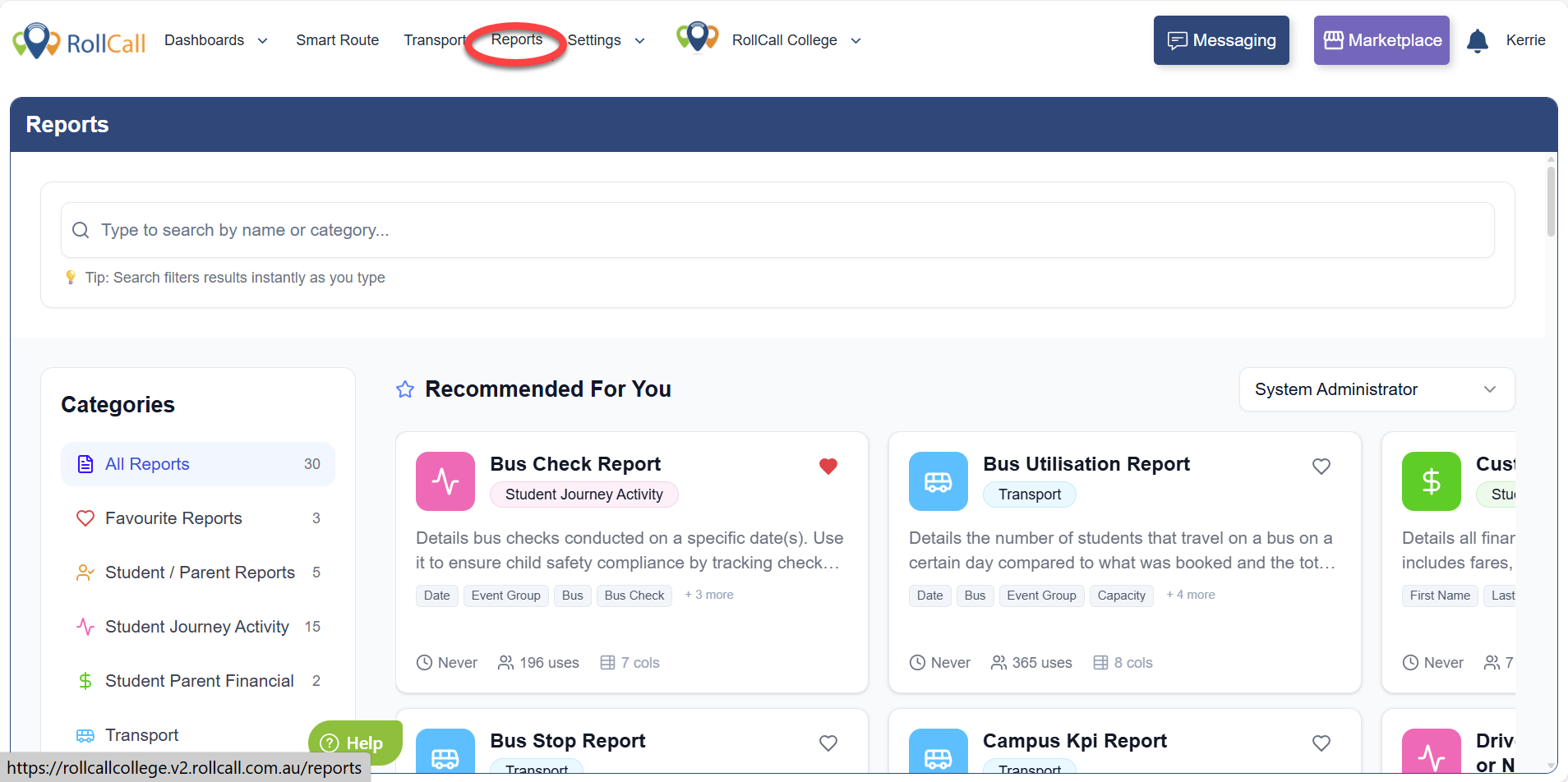
Step 1: Navigate to Reports
From the main menu, click Reports.
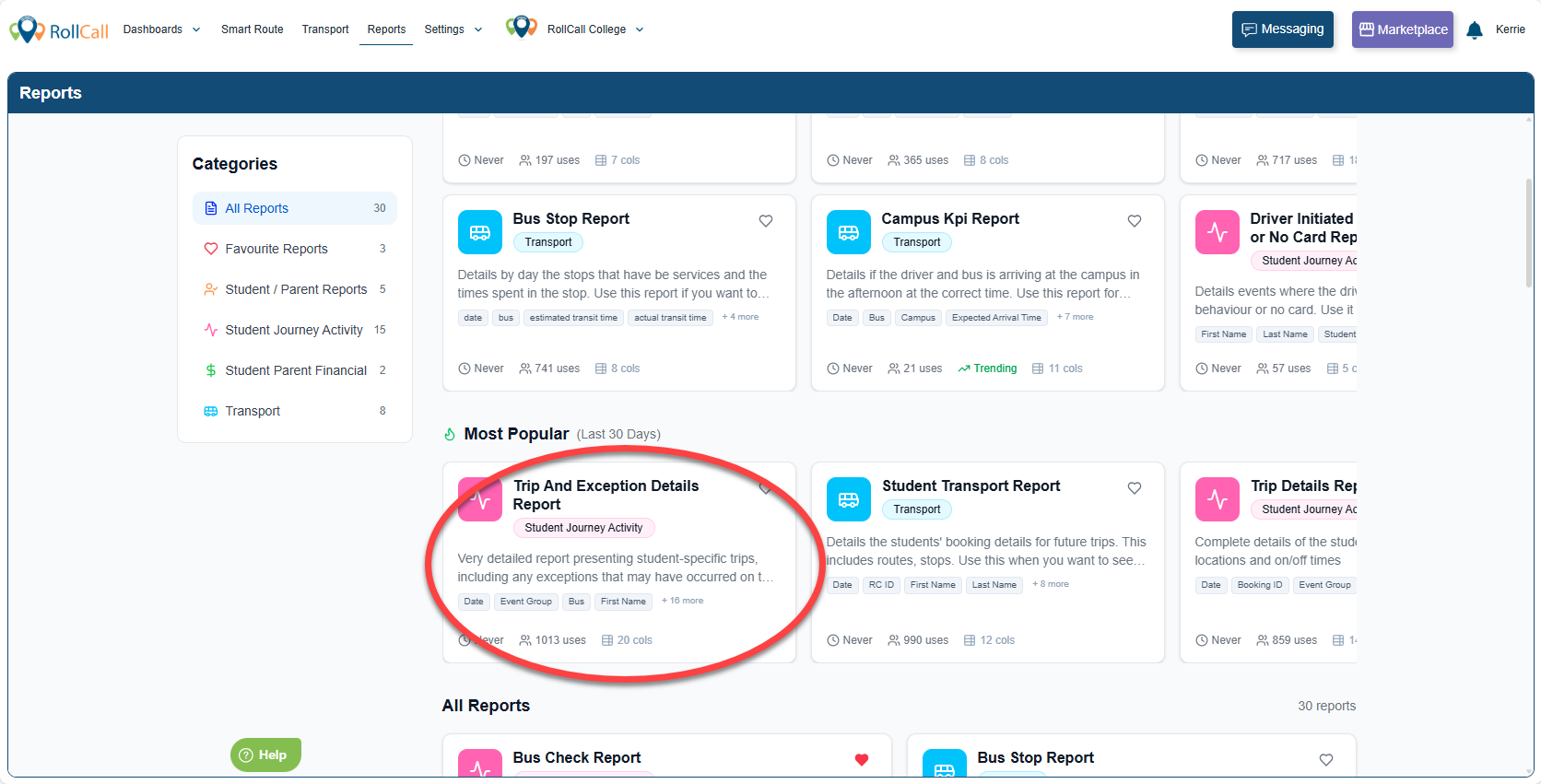
Step 2: Select a Report
Choose the report you wish to generate from the list.
Step 3: Configure Report Filters
Adjust the required filters (such as date range, year level, route, or other available options).
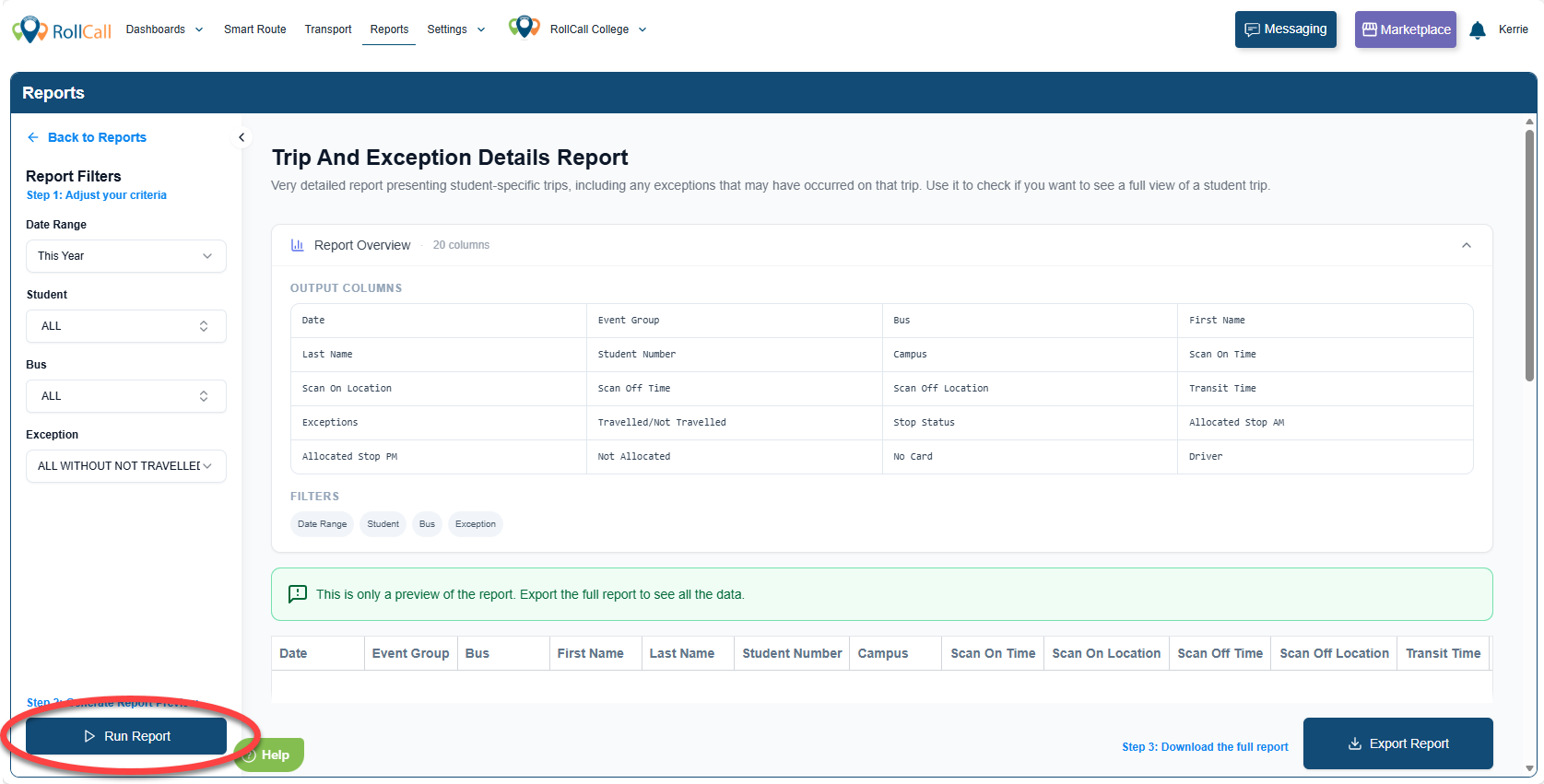
Step 4: Click Generate
Click Run Report to submit your report.
A preview of the report will be displayed on screen.
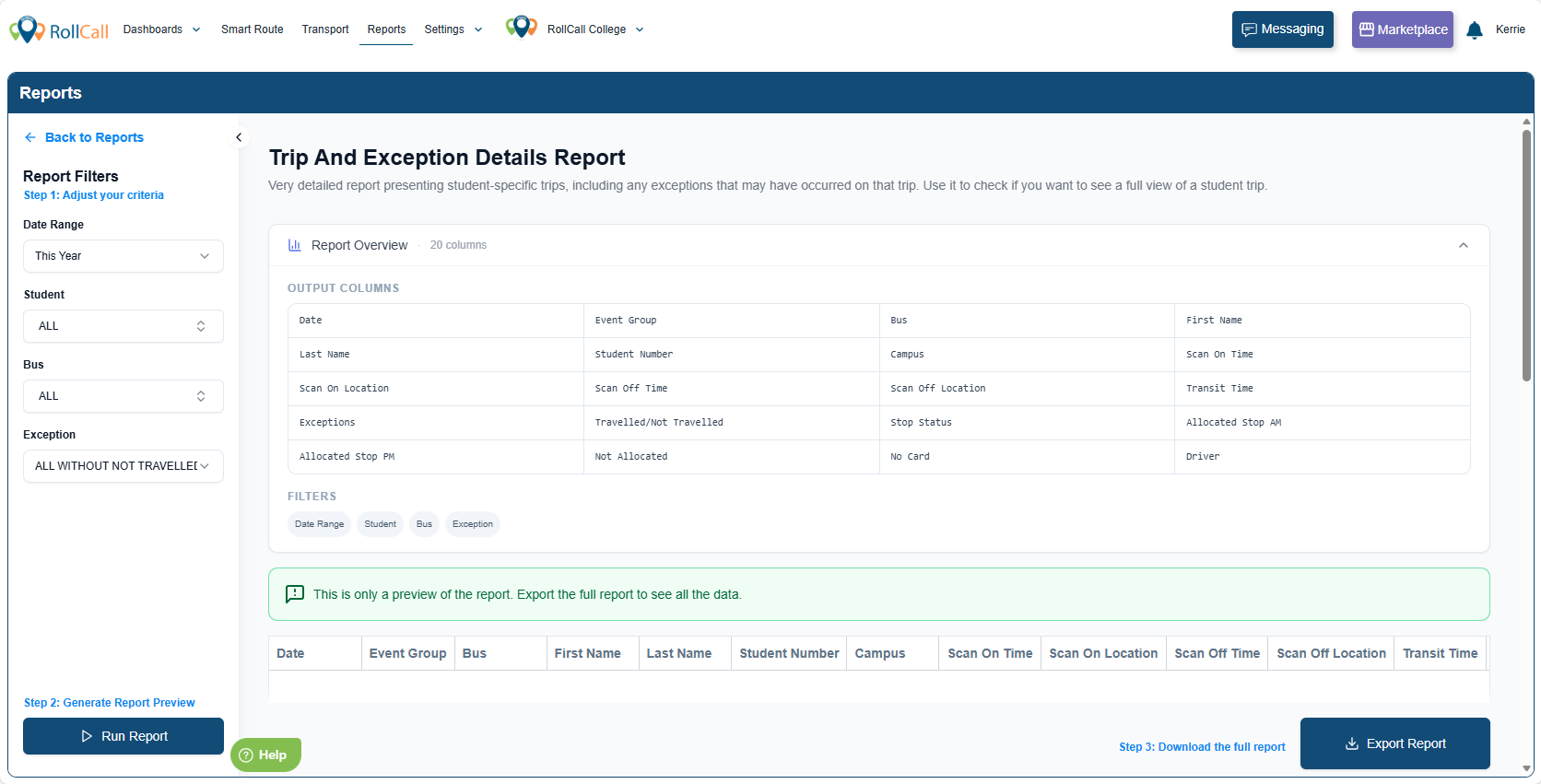
Step 5: Export the Report
To download the full report, click Export Report.
An export window will appear.
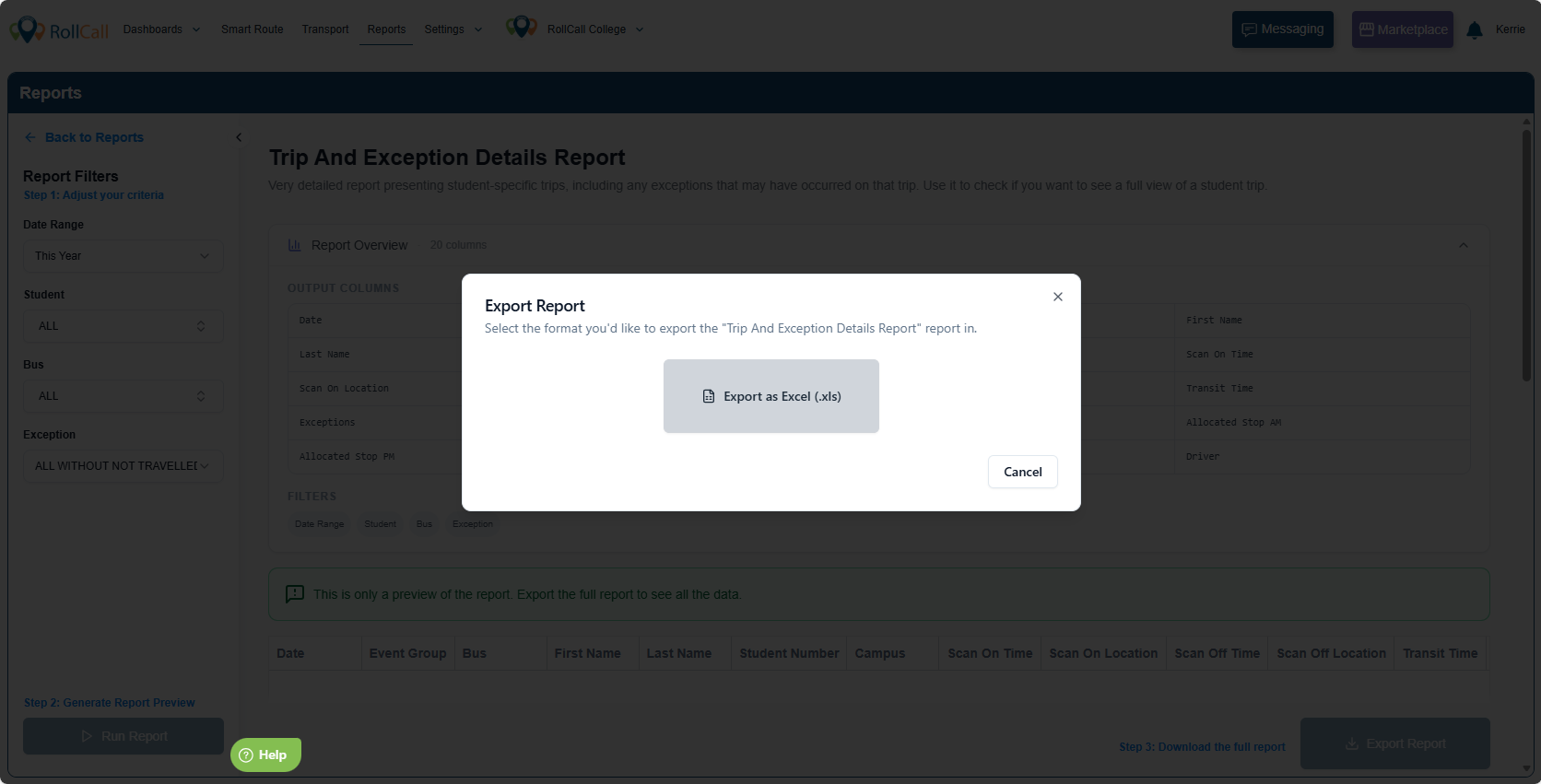
Depending on the report, you may be able to export:
Excel (.xls)
PDF
Select your preferred format to download the file.
Click Cancel should you not wish to proceed
What Happens Next?
After clicking Generate, one of the following will occur:
If the Report Runs Immediately
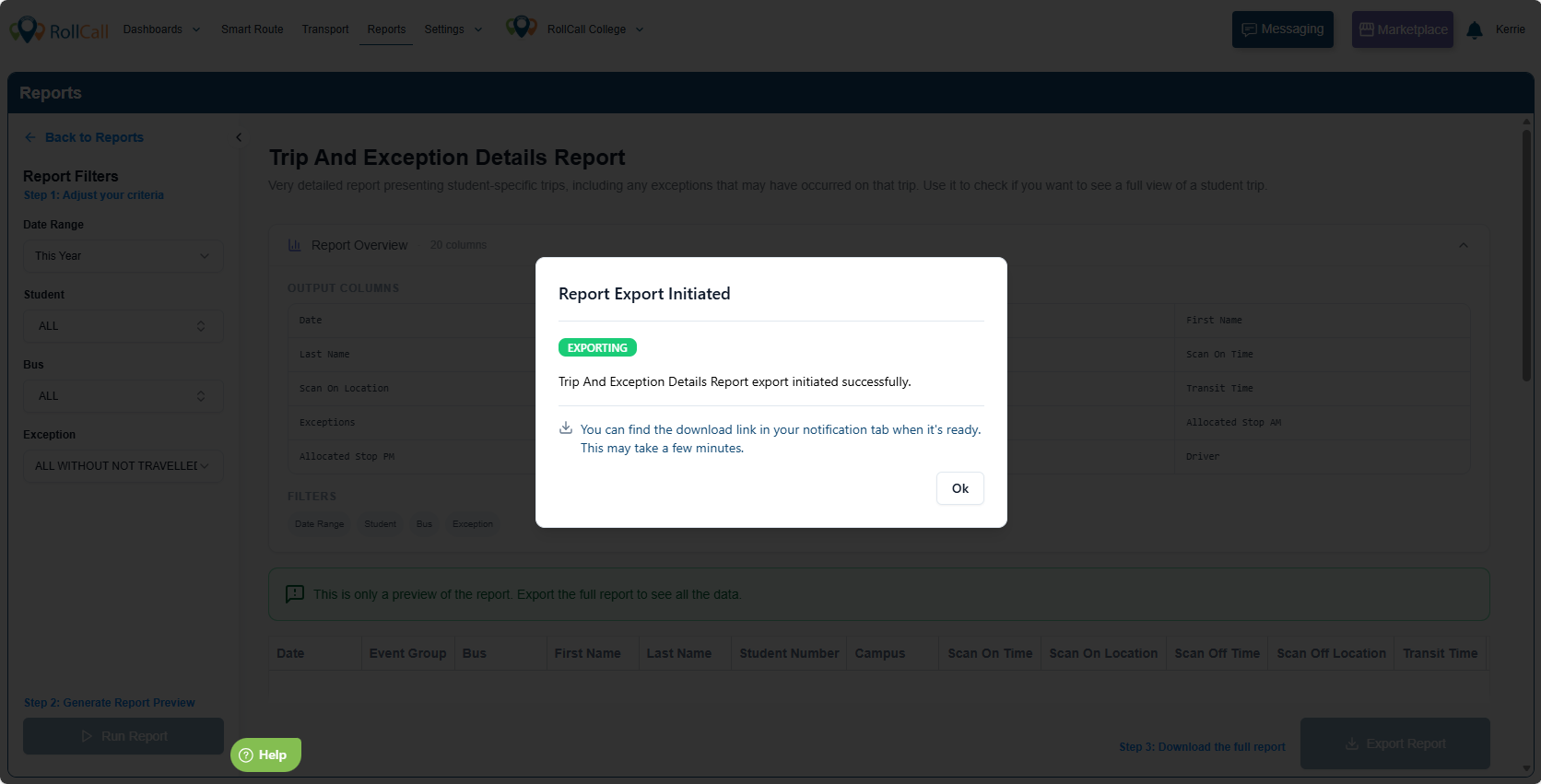
The report begins processing straight away
You will receive:
An in-app notification
An email notification
If the Report Is Queued (Peak Hours)
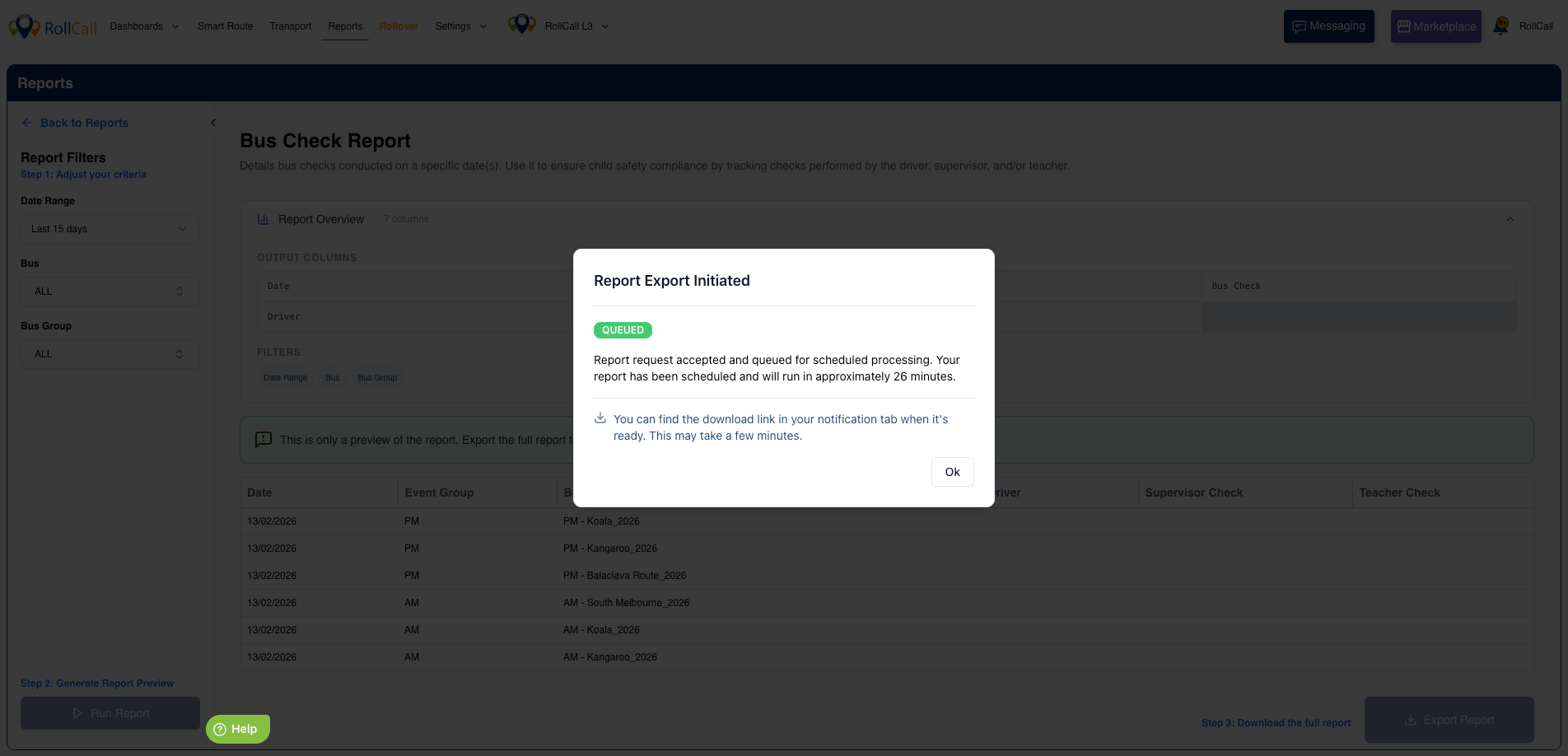
If the report is classified as high-impact and requested during peak periods (7:00–9:00am or 3:00–5:00pm AEDT):
A message will confirm the report has been queued
An estimated wait time will be displayed on screen
The report will begin processing automatically once the peak window ends
You will receive an email and in-app notification when it is ready
There is no need to retry or restart the report.
If you attempt to rerun a queued report
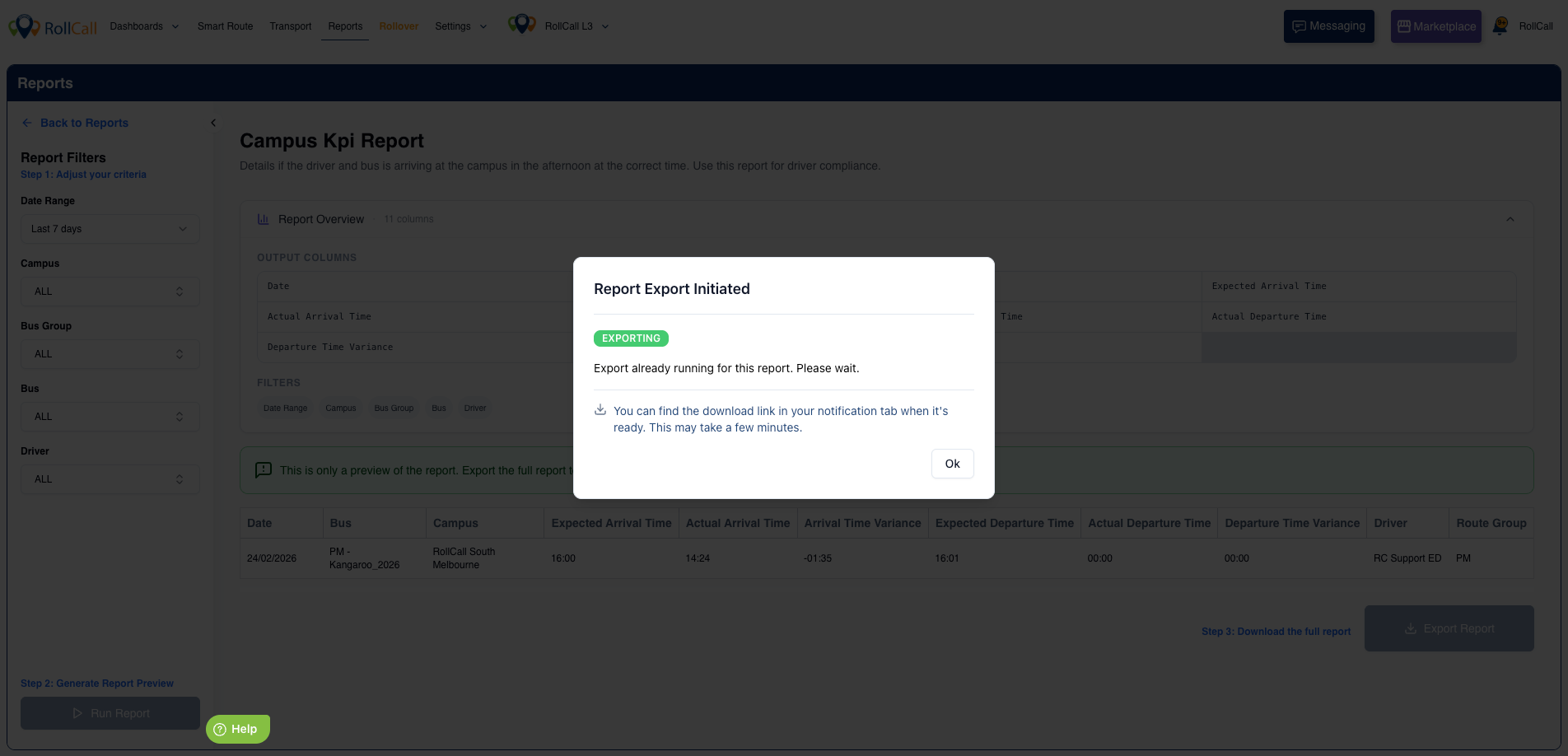
If a report is already processing and you click Export Report again, you may see a message:
Report Export Initiated
Export already running for this report. Please wait.
You can find the download link in your notification tab when it's ready.
This means:
The report is already being processed
A second export will not be started
You can retrieve the file from your Notifications tab once complete
There is no need to generate or export the report again.
FAQs
Why is my report showing a wait time?
If the report is classified as high-impact during peak periods (7:00–9:00am or 3:00–5:00pm AEDT), it will be queued automatically. An estimated wait time will be displayed on screen.
Do I need to run the report again if it is queued?
No. The report will begin processing automatically once peak hours end. You do not need to restart it.
I clicked Export again and saw a message saying the export is already running. What does this mean?
This means the report is already processing. A second export will not be created. You can download the report from your Notifications tab once it is ready.
Where do I find my completed report?
When processing is complete, you will receive:
An in-app notification
An email notification
You can access the download link from the Notifications tab.
Will my data change while the report is queued?
No. Reports only process once they begin running. Your data remains unchanged while queued.
Are reports still blocked during peak hours?
No. Most reports run immediately. Only high-impact reports requested during peak periods are queued.
Was this article helpful?
That’s Great!
Thank you for your feedback
Sorry! We couldn't be helpful
Thank you for your feedback
Feedback sent
We appreciate your effort and will try to fix the article