Overview
The Student Handover Code feature helps drivers safely manage the drop-off of younger students by identifying approved handover arrangements.
Handover Codes are only available for students whose grade level is below the school's Wrong Stop Alert Grade Threshold.
This feature assists drivers by:
Clearly identifying students requiring special handover arrangements
Displaying visual indicators in the Driver App
Providing handover reminders during scanning
Supporting existing Wrong Stop Alert functionality
Handover Codes
The following handover options are available:
| Code | Description |
|---|---|
| PAR | Parent Collection Required |
| SIB | Sibling Escort |
| OWN | Walks Home Independently |
| None | No handover code assigned |
Enabling Handover Codes
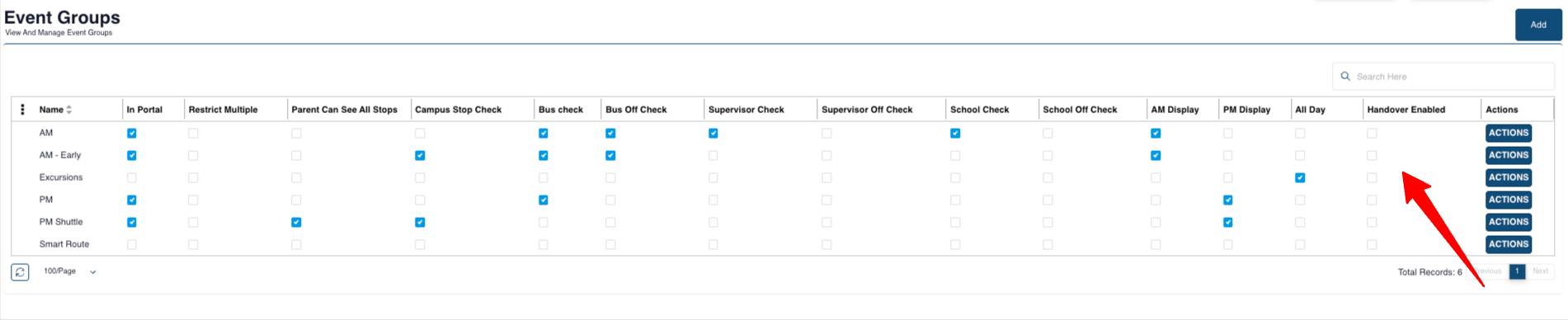
Before Handover Codes can be used, they must be enabled on the relevant Event Groups.
Navigate to:
Settings → Event Groups
Select the Event Group used for student transport, typically:
- AM Route
- PM Route
Enable:
- ✅ Handover Enabled
Click:
- Save
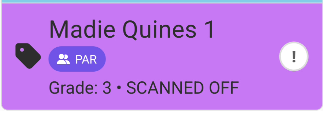
PAR – Parent Collection Required
The student must be handed directly to a parent or guardian.
Driver App Behaviour
Purple handover badge displayed
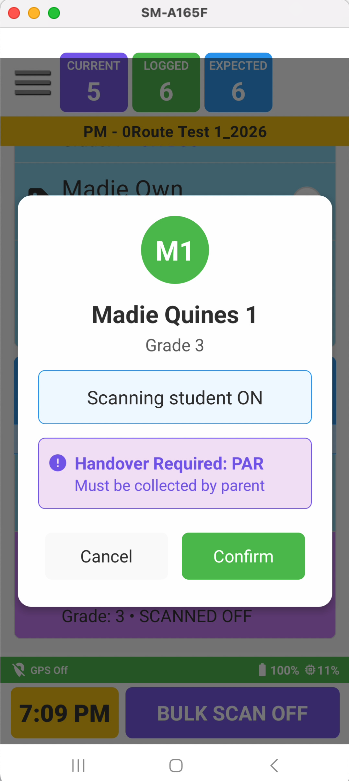
Handover reminder shown when scanning ON
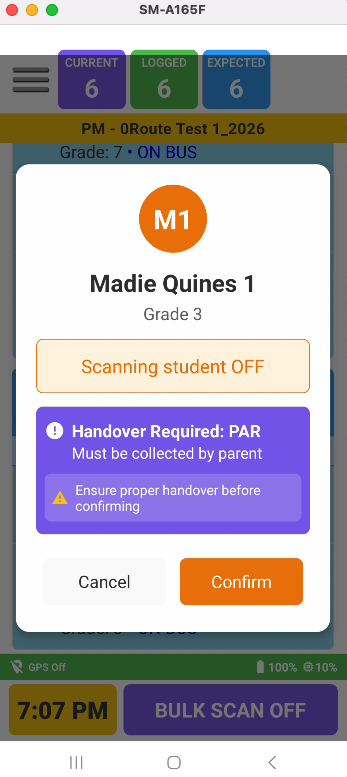
Handover warning displayed when scanning OFF
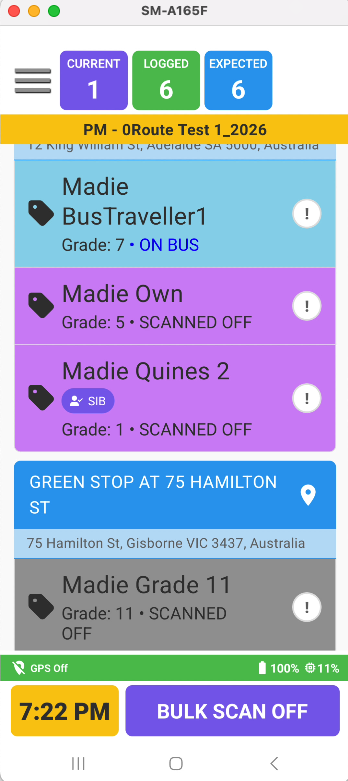
Purple background when scanned OFF
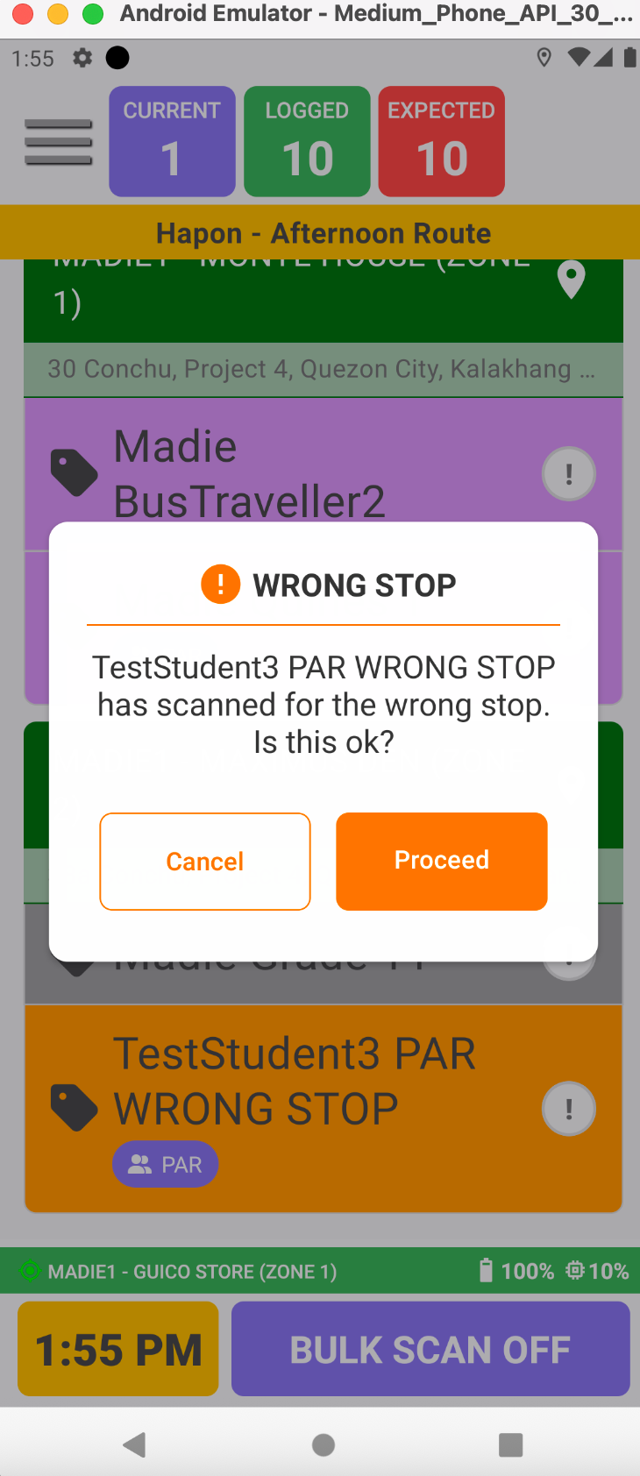
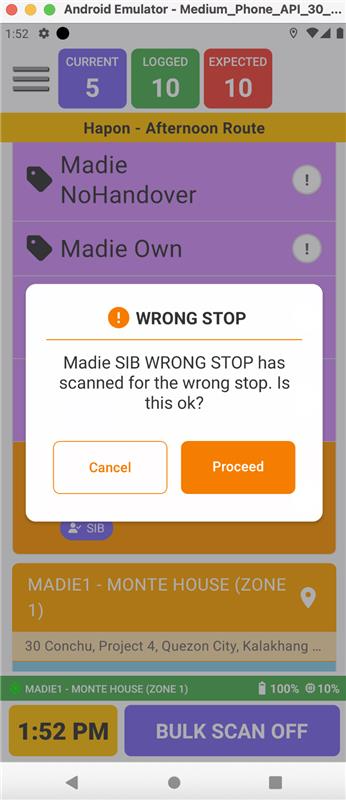
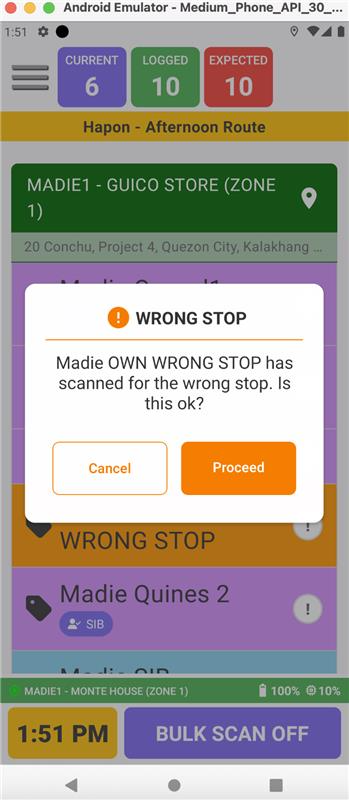
Wrong Stop Alert remains active
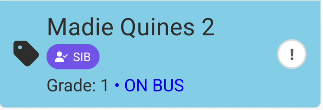
SIB – Sibling Escort
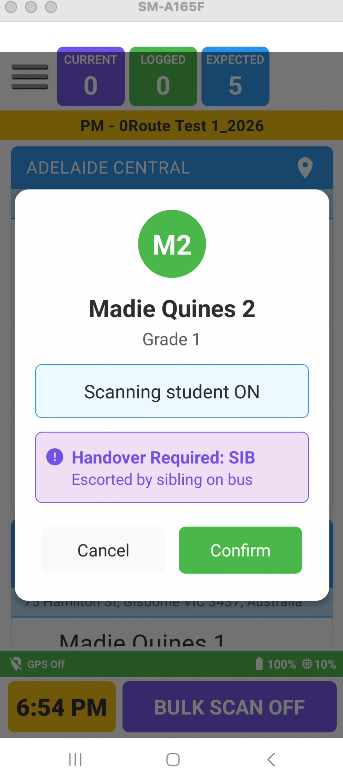
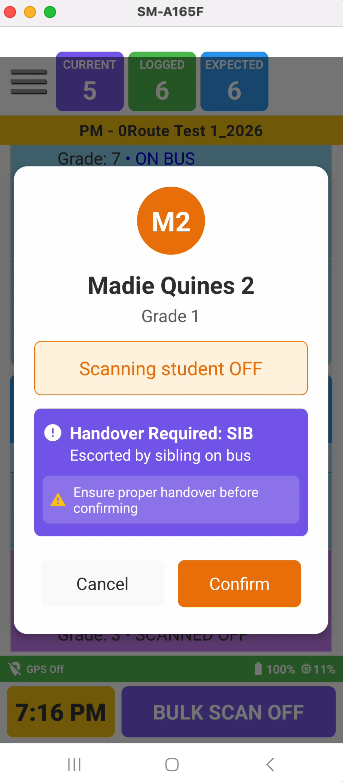
The student is escorted by an older sibling travelling on the bus.
Driver App Behaviour
Purple handover badge displayed
Handover reminder shown when scanning ON
Handover warning displayed when scanning OFF
Purple background when scanned OFF
Wrong Stop Alert remains active
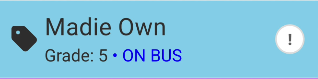
OWN – Walks Home Independently
The student is approved to leave independently.
Driver App Behaviour
No handover badge displayed
No handover warnings displayed
Standard scan colours apply
Wrong Stop Alert remains active
Setting a Handover Code
Navigate to:
Admin Console → Students → Edit Student
If the student's grade is below the school's Wrong Stop Alert Grade Threshold, a Handover dropdown will be available.
Available options:
None
PAR – Parent Collection
SIB – Sibling Escort
OWN – Walks Home
Default Behaviour
For students below the threshold:
The default handover setting is PAR
For students at or above the threshold:
The Handover field is hidden
Any existing handover code is automatically removed
Driver App Display
PAR & SIB Students
A purple badge displaying the handover code is visible in all scan states.
Examples:
PAR
SIB
OWN Students
No handover badge is displayed.
Driver App Colours
| Student Status | Colour |
|---|---|
| Scanned ON | Light Blue |
| Not Scanned | Light Grey |
| Scanned OFF (PAR/SIB) | Purple |
| Scanned OFF (OWN) | Grey |
| Scanned OFF (Grade 7+ / Above Threshold) | Grey |
Driver App Scan Alerts
Scanning ON (PAR/SIB)
An informational handover message is displayed showing the student's handover code.
Example:
Handover Code: PAR
Scanning OFF (PAR/SIB)
A prominent warning banner is displayed.
Example:
Handover Required
This serves as a reminder that the student must be handed over according to their assigned handover arrangement.
OWN Students
No handover alerts or warnings are displayed when scanning ON or OFF.
Wrong Stop Alerts
The existing Wrong Stop Alert feature remains unchanged.
Wrong Stop Alerts continue to apply to all students at or below the school's Wrong Stop Alert Grade Threshold, including:
PAR students
SIB students
OWN students
If a student is scanned at the incorrect stop, the driver will continue to receive the Wrong Stop Alert notification.
Feature Flag – Handover Alerts
Schools can enable or disable Handover Alerts.
When disabled:
Handover warnings and reminders will not display
When enabled:
Handover warnings and reminders will display normally
Important
This setting only affects:
Scan ON alerts
Scan OFF warnings
It does not affect:
Handover badges
Student colours
Wrong Stop Alerts
Summary
| Feature | PAR | SIB | OWN |
|---|---|---|---|
| Purple Badge | ✅ | ✅ | ❌ |
| Scan ON Reminder | ✅ | ✅ | ❌ |
| Scan OFF Warning | ✅ | ✅ | ❌ |
| Purple Background when Scanned OFF | ✅ | ✅ | ❌ |
| Wrong Stop Alert | ✅ | ✅ | ✅ |
This feature provides drivers with clear visual indicators and reminders to ensure younger students are handed over safely while maintaining the existing Wrong Stop Alert protections.
Was this article helpful?
That’s Great!
Thank you for your feedback
Sorry! We couldn't be helpful
Thank you for your feedback
Feedback sent
We appreciate your effort and will try to fix the article